Securly Pass: Complete Guide to Features, Benefits, Safety & How It Works (2026)
Picture a teacher in the middle of a lesson. A hand goes up. Then another. Within minutes, three students want to leave the room. The teacher stops, scribbles a slip, and loses the class’s attention.
Sound familiar? Securly Pass fixes this daily headache. It gives K-12 schools a modern digital hall pass system that keeps lessons moving. This guide shows you how it works, what it offers, and whether it fits your school.
What Is Securly Pass?
Securly Pass is a digital hall pass system built for K-12 schools. It replaces paper slips with digital passes that students request on a device. Teachers approve each request in seconds. The platform then logs where each student goes and how long the trip takes. This makes it a strong hall pass management system and a handy student movement tracking tool. You can read more on the official Securly Pass page, where the company calls itself “The #1 digital hall pass for K-12.”
Scale matters here. Securly says more than 5,000 schools and 2,500 districts use its hall pass product, along with over four million educators and students. That makes Securly Pass software one of the best-known school management solutions in this space. It also grows beyond hall passes. The suite adds tardy tracking, school visitor management, and ties to classroom management software. Schools outside the United States can use the core pass tools too. Some extras, like registry checks, are built for US schools.
How Does Securly Pass Work?
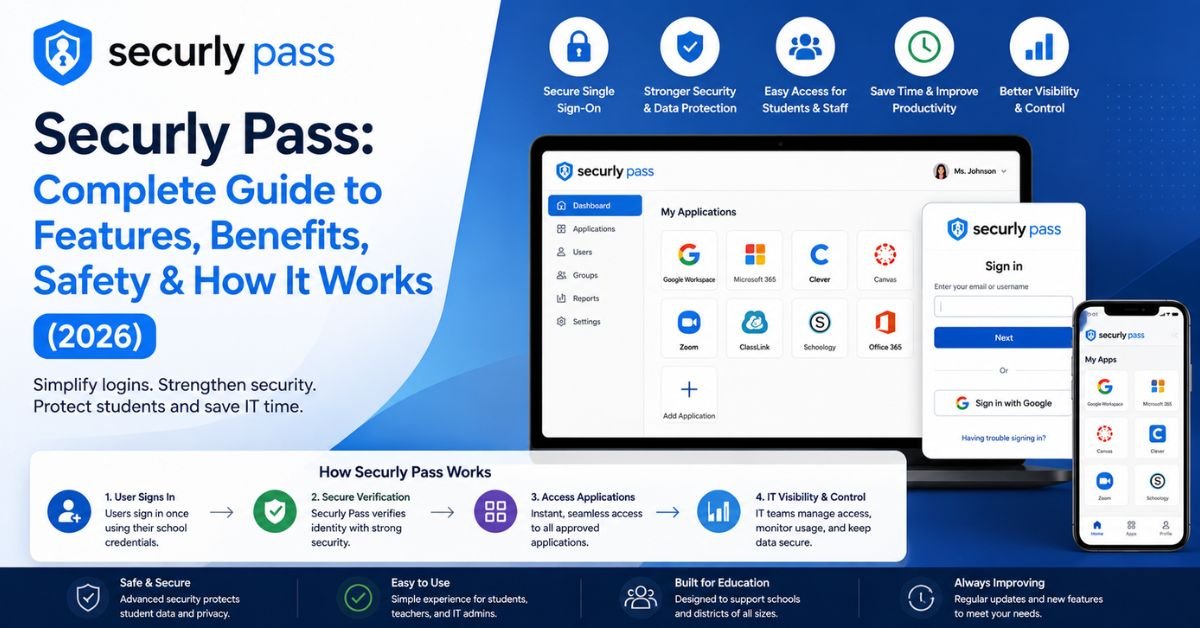
The system follows a simple loop. A student asks. A teacher approves. The platform tracks the trip. Then it closes the pass when the student returns. Each step happens on screen. Nothing needs ink or paper. This is how many schools manage student movement today. It also makes an automated hall pass system easy to explain to staff and parents. Once you grasp the loop, the rest of how Securly Pass works falls into place.
Think of it like a library checkout desk. A book leaves with a due date. A student leaves with a timer. Both get logged. Both come back. This neat record is what makes digital hall pass management so useful. The table below shows the full cycle at a glance.
| Step | Who acts | What happens |
| 1. Request | Student | Picks a destination on a device or kiosk |
| 2. Approval | Teacher | Taps to approve or deny |
| 3. Tracking | System | Starts a timer and logs the trip |
| 4. Return | Student | Pass closes on arrival |
How Students Request a Digital Hall Pass
Here is how to request a hall pass online. A student opens the mobile application or a school website. Next, they choose a place such as restroom passes, nurse visits, library passes, or counselor visits. The request flies to the teacher right away. No hand needs to go up. No one has to talk over the lesson. Some students have no device. For them, school kiosks offer a simple fix. A Pass Kiosk lets students request and check in without a school or personal device. This keeps the student check-in system fair for everyone.
Teacher Approval and Pass Management
Securly Pass for teachers is built around speed. A request pops up. The teacher reviews it. One tap handles pass approval. Teachers can also create proxy passes. A proxy pass lets a teacher issue a hall pass manually without a student request. This helps on days when phones stay in bags. Teachers also stay inside one screen. Securly says teachers can approve requests and see active passes inside its classroom platform. That means fewer tabs and less clutter in daily work.
Real-Time Hallway Monitoring and Location Tracking
Real-time monitoring is the heart of the tool. Staff can see who is out and where they went. They can also see how long each trip has lasted. This is school hallway monitoring without extra patrols. Be clear on one point, though. Student location monitoring here means the destination a student chose. It does not mean GPS tracking. It also stays within school hours. This gives real-time student tracking without turning into surveillance of private life. You can learn about the privacy side in the safety section below.
See Also: App and Socials AlienSync: What It Is, How It Works, Features, and What to Know
Automatic Pass Expiration and Return Tracking
Every pass has a clock. When time runs out, pass expiration kicks in. The pass closes on its own. Staff then see which students are late. This protects instructional time and cuts wandering. The same data also builds student movement records. Over weeks, those digital records reveal habits. One student may leave every day at the same hour. Another may stay out too long. Leaders can spot these patterns early. Then they can offer support before small problems grow.
Key Features of Securly Pass
Good tools earn trust through useful features. Securly Pass features and benefits come from a handful of core pieces. Each piece solves a real school problem. Together they form a full set of school administration tools. Some features suit teachers. Others help school administrators and school districts. Plan details may vary. So always confirm what your plan includes with Securly or your reseller.
The best way to see the value is to compare each feature to a daily pain point. Hallway crowding? There is a cap for that. Lost slips? Digital records fix it. Slow reports? The analytics and reporting tools handle it. The sections below walk through each one in plain words. A quick summary table comes first.
| Feature | Problem it solves |
| Hall pass dashboard | No view of who is out |
| Pass limits | Students leaving too often |
| Location-based controls | Crowded restrooms and halls |
| Visitor check-in | Unknown adults on campus |
| SIS sync | Slow manual data entry |
| Analytics | No data for decisions |
Real-Time Hall Pass Dashboard
The hall pass dashboard shows every active pass at once. It works like air traffic control for a school. School staff can see names, places, and timers on one screen. This administrative dashboard also helps in emergency response. A quick look shows who is out of class. That speeds up monitoring active student passes during drills and real events. It also supports hall pass tracking software goals, because nothing hides in a drawer or a notebook.
Custom Pass Limits and Restrictions
Schools can control how often students leave class. This is setting student hall pass restrictions in a simple way. You can set daily pass limits for each student. You can add grade-level restrictions too. Older students may get more freedom than younger ones. Securly Pass supports both student pass limits and location pass limits. Say a school caps restroom trips at two students at a time. Fewer groups gather there. This also helps with managing multiple hall pass requests during busy periods.
Location-Based Controls and Hallway Monitoring
Location-based controls set limits for each place on campus. A counselor’s office may hold two students. The library may hold ten. Once the cap fills, new requests wait. This is smart hallway traffic management. It also supports managing hallway congestion after lunch and between classes. Some schools also use contact controls. A reseller listing says these controls help prevent unallowed contact and meet-ups between students. The result is calmer halls and fewer chances for trouble.
Visitor Management and Digital Check-In
Safety does not stop at students. School visitor management covers adults too. Guests use visitor check-in at the front desk. This is the digital visitor registration process. Each check-in is screened against a school watch list, a pre-set visitor list, and public sex offender records from all 50 US states. The registry check applies to the United States. Schools elsewhere should ask Securly what applies to them. Plan access may differ by source. One Securly page says visitor tools come free with Pass. A partner page lists them under Pass Premium. Always confirm before you buy.
Student Information System (SIS) Integration and Mobile Access
Student Information System (SIS) syncing saves hours. Rosters update on their own. This is student information system integration done right. Securly offers direct sync with a school’s SIS through Securly Sync. That means school database synchronization without manual typing. It also cuts errors. Staff and students can use the mobile application too. Securly says a mobile app is available for all users. The iPhone app needs iOS 16 or later. Those are the basic Securly Pass device requirements to check first.
See Also: RobTheCoins: What It Is, How It Works, Features, and Business Model
Analytics, Reports, and Usage Insights
Analytics and reporting turn passes into knowledge. Leaders can see top destinations and busy hours. They can also spot patterns in student movement data. District reports let leaders compare pass volume by school and track tardy infractions over time. Tardy tracking adds even more value. Securly says its tardy tools can also automate consequences. Some school attendance management teams use this to link lateness and hall time. Reports can also support student behavior monitoring when staff review them with care.
Benefits of Using Securly Pass in Schools
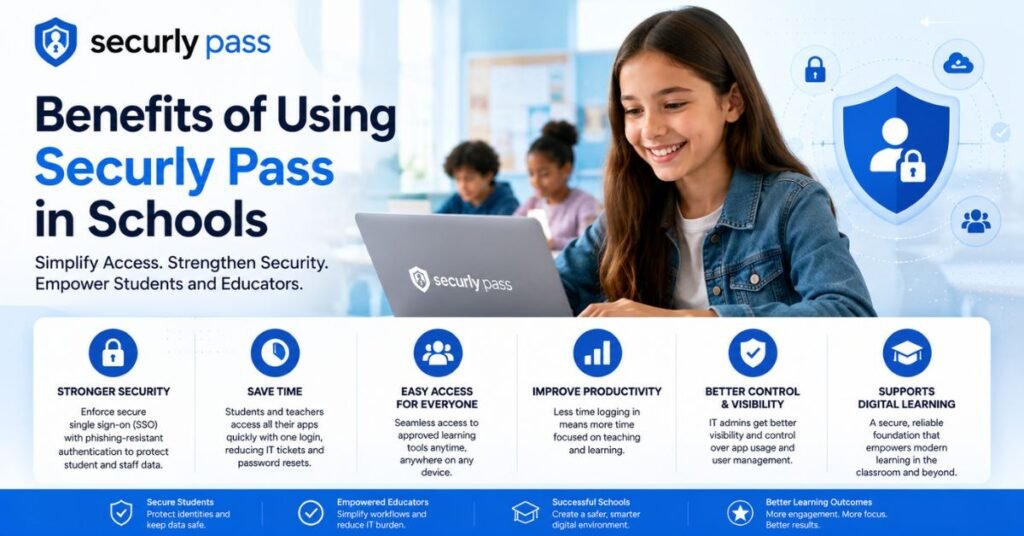
Why do schools switch? The answer is simple. A digital hall pass system saves time and adds safety. It also gives leaders facts instead of guesses. Digital hall pass system advantages reach every group on campus. Students get a fair process. Teachers get their lesson time back. School administrators get clean data. Parents gain confidence that staff know where students are.
Benefits also stack on top of each other. Fewer interruptions lead to more learning. Better records lead to smarter rules. Smarter rules lead to calmer halls. That chain is what makes school safety technology worth the effort. Below, you will see each benefit in detail. Real examples help show how the gains look in practice.
Improved Student Safety and Accountability
A strong student accountability system starts with knowing where everyone is. With Securly Pass, staff can check this in seconds. That boosts campus safety and speeds up emergency response. Add digital visitor check-in, and the front door gets safer too. It is one of the clearest school security management gains. Securly’s own blog shares a case on this topic. Vice Principal John Keeter is featured for stopping bathroom vandalism with digital hall pass features. The post gives the full story.
Fewer Classroom Disruptions and More Instructional Time
Classroom disruptions add up fast. A paper pass takes about a minute to write and hand over. Say that happens eight times a day. That is eight minutes lost, and the class loses focus each time. A digital request takes seconds. The teacher barely pauses. This is reducing classroom interruptions in a real way. Over a school year, those saved minutes become hours of instructional time. That simple shift is one of the main reasons schools adopt electronic hall passes.
Better School-Wide Data and Administrative Insights
Paper leaves no trail. Digital passes leave a clean one. These student movement records help leaders see where problems start. Maybe one hallway sees the most trouble. Maybe one period sees the most trips. With facts in hand, school administrators can change schedules or staffing. They can also write better school-wide hall pass policies. This is improving school administrative efficiency through plain, honest numbers. Districts can also compare campuses side by side.
Time-Saving Hall Pass Management for Teachers
Teachers already juggle a lot. Hall passes should not add to the pile. With Securly Pass, approval takes one tap. No slips need filing. No notes need chasing. The hall pass dashboard also answers the old question: “Where is Jake?” That alone saves stress. Teachers working inside classroom management software can handle passes without a second login. That makes digital student passes feel like part of the normal routine and not a chore.
Reduced Hallway Crowding and Unauthorized Movement
Crowded halls cause problems. Loud groups form. Small fights can start. Hallway crowding also hides students who skip class. Caps and timers help here. They work as preventing unauthorized student movement tools. Fewer students roam at once. Staff can spot odd behavior sooner. Younger students also feel safer when halls stay calm. In short, hallway traffic management and improving school hallway safety go hand in hand.
See Also: JournalWord.com What It Is, Content, Features, Safety, and SEO Analysis
Securly Pass vs. Traditional Paper Hall Passes
Replacing traditional paper hall passes is the core idea behind this tool. Paper slips get lost. They get forged. They leave no record. A paperless hall pass system fixes all three. Digital entries are logged and time-stamped. They are also harder to fake than a handwritten note. No system is perfect. Still, the gap in control is huge.
Think of paper as a sticky note and Securly Pass as a shared calendar. Both share information. Only one keeps it organized and searchable. The table below compares them side by side. It shows why many K-12 schools make the jump.
| Area | Paper hall passes | Securly Pass |
| Tracking | Relies on memory | Logged in real time |
| Forgery risk | Easy to fake | Harder to fake |
| Speed | Slow to write | A few taps |
| Reporting | None | Built-in reports |
| Emergency use | Scattered records | One live view |
| Consistency | Varies by teacher | Same rules school-wide |
Pros and Cons of Securly Pass
Every tool has strengths and limits. A fair review shows both. This section lists them in plain words. It also helps you decide with open eyes. Most schools find the pros outweigh the cons. Still, your needs matter most. Read each paragraph with your own campus in mind.
Remember that no review replaces a trial. Ask for a demo. Test the tool with real staff. Ask your technical support contact hard questions. Then compare notes with your team. That process builds trust in whichever choice you make.
Advantages of Using Securly Pass
The biggest win is control. You get real-time monitoring, clear limits, and useful reports. You also get tools that reach beyond passes. These include visitor check-in, tardy tracking, and school administration tools in one login. The tool also works with Securly Classroom, so teachers stay in a familiar space. The platform has a large user base too. That means many schools have already tested it. Setup guides and support are easy to find. Students also learn the process fast.
Potential Limitations of Securly Pass
The tool needs steady internet connectivity and good Wi-Fi access. Weak signals in old buildings can slow requests. Some features may sit in premium plans. Ask your reseller what your price includes. One software review site notes that setup may take real administrative effort. New staff also need staff training. Too much trust in tech can be a risk as well. So keep a backup paper plan for outages. Those steps keep the day running smoothly.
Is Securly Pass Safe? Student Privacy and Data Protection Explained
Privacy worries are fair. Parents want to know what is collected. The system logs pass requests, destinations, times, and visitor entries. It focuses on movement inside school during school hours. It does not follow students home. Student privacy and data protection still depend on how each school sets things up. That is why Securly Pass privacy and security should be part of your buying review. Read Securly’s privacy policy and your own school technology policies before launch.
Access permissions matter most. Usually, only teachers, school staff, and school administrators see pass data. Schools also decide how long to keep it. For student location tracking and privacy, this control is key. US schools should look at laws like FERPA and COPPA. Readers in other regions should check local rules, such as GDPR in Europe. Ask your vendor these questions: Who can see the data? How long is it stored? Where is it hosted? Clear answers build trust with parents and the whole community.
How to Get Started With Securly Pass
Starting is easier than many fear. First, request a demo from Securly or an approved reseller. Then plan a small rollout. This is implementing digital hall pass software the smart way. Pick one grade or one wing first. Learn what works. Then grow to the full school. A calm start gives staff time to adjust and ask questions.
Good plans cover three jobs: setup, rules, and training. Do them in that order. Skipping one often causes trouble later. The H3 sections below explain each job. Together, they answer how to use Securly Pass from day one. Keep technical support contacts close during the first month.
School Setup and Account Configuration
Begin with your Student Information System (SIS). Connect it so rosters sync on their own. Next, add rooms and places like the restroom, nurse, library, and counselor. Then set user roles for teachers, front-office staff, and leaders. Test everything with a small group. This step builds a solid base for school database synchronization. It also cuts errors and saves office time. Check Securly Pass device requirements too, so every device works.
Setting Pass Rules and Permissions
Rules shape student behavior. Start simple. Set daily pass limits and a few location-based controls. Add grade-level restrictions if needed. Pick who may approve passes and who may view reports. Those access permissions protect privacy. Review rules after two weeks. Loosen or tighten them based on results. Keep rules fair and clear. Students follow rules they understand much more often than rules they don’t.
Training Teachers and Students
Training is where success starts. Training teachers to use digital passes should be short and hands-on. A ten-minute demo often does the job. Give each teacher a one-page guide. Prepare a quick card for substitutes as well. For students, a short homeroom lesson works well. Show them how to request a pass and what happens when time runs out. Good staff training also answers a big fear: “Will this be hard?” Usually, the answer is no.
Tips for Implementing Securly Pass Successfully
Small steps make a big difference. Explain the “why” to students and parents first. People accept change faster when they see the reason. Start with basic pass types. Add stricter limits later. Name a few friendly champions on staff. They can help peers who feel unsure. Share early wins with the whole team. A short email about saved minutes can boost morale.
Next, keep listening. Ask staff for feedback after the first month. Review analytics and reporting to spot trouble spots. Keep a paper backup for rare outages. Here is a quick checklist you can follow:
- Share the reason for the change with families.
- Pilot in one grade or wing.
- Give teachers a one-page guide.
- Collect feedback after 30 days.
- Keep a paper backup ready.
See Also: AnalyzingMarket.com: Business, Finance, Technology, and Market News
Common Securly Pass Setup Challenges and How to Address Them
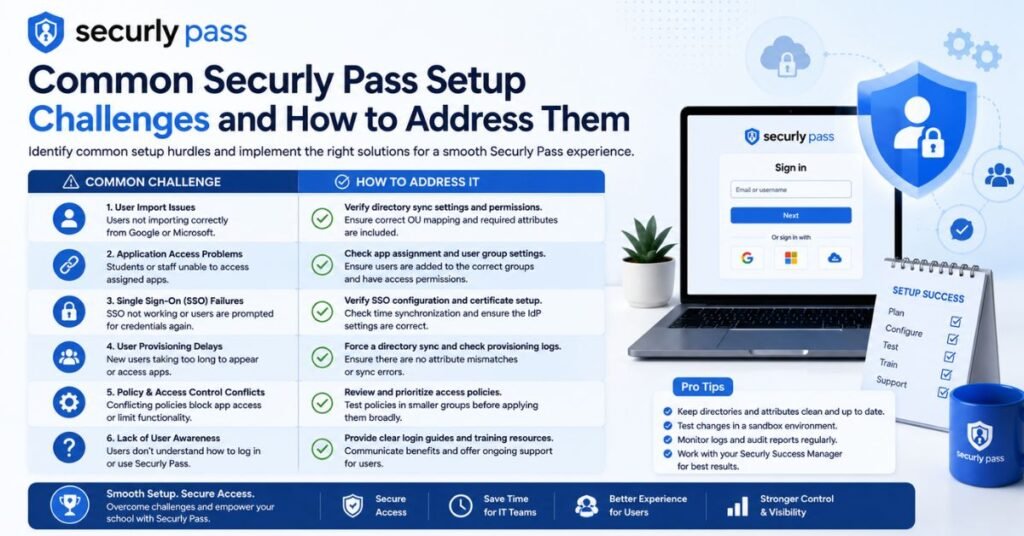
Every rollout hits a few bumps. Knowing them early helps you prepare. Common Securly Pass setup problems include weak Wi-Fi, staff doubt, and student testing. Front-office teams may need extra time with visitor check-in. Substitutes may feel lost on day one. None of these problems are rare. Most fade within a month with calm support.
Plan for each issue before launch. Assign one person as the go-to for questions. Keep technical support details handy. Then check progress every week at first. The table below shows common problems and simple fixes.
| Challenge | Why it happens | Simple fix |
| Teacher resistance | Old habits feel safe | Show time saved in a demo |
| Weak Wi-Fi | Old buildings | Test halls and add access points |
| Students testing limits | New rules feel strict | Explain rules and review limits |
| Front-office confusion | New check-in steps | Offer extra practice time |
| Substitute teachers | No prior training | Provide a quick-start card |
Who Should Use Securly Pass?
Middle schools and high schools often gain the most. Their halls are long and busy. Many students move between classes each hour. Elementary schools can use it too. They usually pick simpler rules and shorter timers. School districts also benefit. District staff can compare pass data across campuses. That helps with school-wide hall pass policies and budget choices.
Schools with big hallway issues see quick results. Think of frequent lateness, lost slips, or crowded restrooms. A school with strong Wi-Fi and enough devices will find setup easier. Very small schools with limited tech may need more planning. Schools outside the US can still use the core pass tools. Check which extras apply to your region first.
Frequently Asked Questions
Does Securly Pass Track Students Outside School?
No. Securly Pass tracks movement inside the building during school hours. It logs the destinations students pick. It does not follow them home. Still, ask your school how it handles data protection. Policies can differ by district.
Can Parents See Their Child’s Hall Pass Activity?
It depends on school settings. Some schools share limited pass details with parents. Others keep the data for school staff only. Ask your school office about its policy.
Do Students Need Their Own Devices to Use Securly Pass?
No. Teachers can create proxy passes. Schools can also place school kiosks around campus. Those options help students with no phone or laptop.
Is Securly Pass Only Designed for Hall Passes?
No. It also supports tardy tracking, school visitor management, and ties to classroom management software. Depending on your setup, it may also help with early dismissals and student release checks. Securly describes its visitor tools as a way to confirm students are released only to verified adults. Confirm plan details with Securly.
Is Securly Pass Difficult for Teachers to Learn?
Not usually. Most teachers pick up pass approval in minutes. A short demo and a one-page guide go a long way. New hires and substitutes may need a quick refresher.
Can Securly Pass Help Schools Improve Campus Safety?
Yes. It supports campus safety with real-time student tracking, clear records, and visitor screening. It also helps in emergency response by showing who is out of class. Still, it is one layer of safety. It works best with trained staff and clear rules.
Final Thoughts
Securly Pass turns a small daily task into a smart system. It gives K-12 schools better control of student movement. It saves instructional time. It also adds useful school safety software features like visitor management and analytics and reporting. With steady Wi-Fi access, good staff training, and clear rules, most schools see a smooth start.
Ready to explore? Request a demo and test the tool with real teachers. Ask hard questions about privacy and plan features. Then decide with confidence. A small change in hall passes can make a big difference in school life.