ProgramGeeks Games: 13 Best Coding Games to Learn Programming in 2026
Want to learn programming through games without a dull textbook? ProgramGeeks games make that easy. They are our picks of coding games and programming games where you solve levels by writing small programs. Some use drag-and-drop commands. Others use a made-up assembly language. A few use real JavaScript or Python. Each one gives you interactive coding lessons and a clear reason to keep playing.
This guide covers 13 games to learn coding. You will see what each game teaches, where it runs, and who it suits. Every pick links to its official page. Prices change often. Check the store before you buy. As of November 2026, all the games below are available to buy or play.
See Also: ProgramGeeks Hosting: A Complete Guide to Hosting Features, Plans, Security, and Reliability
ProgramGeeks Games at a Glance
Not sure where to start? This table sums up every game in the guide. Scan it for your level and device. Then jump to the section you need. Think of it as a menu before the main course.
| Game | Developer | What you write | Platforms | Level | Cost |
| CodeCombat | CodeCombat | Python, JavaScript | Web browser | Beginner | Free levels, paid plans |
| Human Resource Machine | Tomorrow Corporation | Visual, assembly-style commands | PC, Mac, Linux, Switch, iOS, Android | Beginner | Paid |
| 7 Billion Humans | Tomorrow Corporation | Visual commands for many workers | PC, Mac, Linux, Switch, iOS, Android | Beginner–Intermediate | Paid |
| Swift Playgrounds | Apple | Swift | iPad, Mac | Beginner | Free |
| CSS Diner | Luke Pacholski | CSS selectors | Web browser | Beginner | Free |
| Flexbox Froggy | Codepip | CSS Flexbox | Web browser | Beginner | Free |
| Grid Garden | Codepip | CSS Grid | Web browser | Beginner | Free |
| The Farmer Was Replaced | Timon Herzog | Python-like code | PC (Steam) | Intermediate | Paid |
| CodinGame | CodinGame | Many real languages | Web browser | Intermediate | Free to start |
| CheckiO | CheckiO | Python-focused missions | Web browser | Intermediate | Free, paid extras |
| NandGame | Olav Junker Kjær | Logic gates and circuits | Web browser | Intermediate | Free |
| Bitburner | Open-source project | JavaScript | Web browser, Steam (PC) | Advanced | Free |
| Screeps: World and Arena | Screeps | JavaScript | PC (Steam) | Advanced | Check store |
The second table covers five extra picks for experienced players.
| Game | Developer | What you write | Platforms | Level |
| TIS-100 | Zachtronics | Fictional assembly language | PC (Steam) | Advanced |
| Shenzhen I/O | Zachtronics | Assembly for microcontrollers | PC (Steam) | Advanced |
| Opus Magnum | Zachtronics | Visual machine instructions | PC (Steam) | Advanced |
| Hacknet | Team Fractal Alligator | Unix-style terminal commands | PC (Steam) | Intermediate |
| Exapunks | Zachtronics | Assembly-style code for “EXA” agents | PC (Steam) | Advanced |
What Are Coding Games and How Do They Teach Programming?
Coding games are puzzles or strategy games built around writing instructions. You build a small program. You run it. You watch it fail. Then you fix it. That loop is the heart of game-based learning. Real developers repeat the same cycle every single day. The game simply wraps it in goals, scores and story.
Why does it work? Feedback arrives fast. A robot walks into a wall, so you see your bug at once. Educational coding games also reward small wins. You feel progress after each level. Many titles show stats like program size or speed. Those numbers push you to improve a working solution. That habit builds strong coding skills over time.
Key Programming Skills You Can Develop Through Games
Most computer programming games train the same core ideas. You practice sequencing instructions, which means putting steps in the right order. You use loops and conditions to repeat work and make choices. Conditional statements like “if the box is red” appear everywhere. You also learn variables and memory by storing and reusing values. Functions and lists show up in the later levels. Debugging techniques grow naturally because you fix mistakes all the time. Finally, code optimization teaches you to make a working program shorter or faster. Together, these build solid programming fundamentals and sharp algorithmic thinking.
Benefits of Learning Coding Through Games
Games make practice feel light. You play for fun, yet you keep learning. Learning through gameplay lowers stress because failure costs nothing. Short levels fit a busy day. You can finish one puzzle in ten minutes. These coding practice games also build patience and logical reasoning. Better still, they suit every age. Programming games for adults offer deep puzzles. Programming games for kids offer gentle, colorful starts. Whatever your age, hands-on coding practice beats passive reading. That is why coding education now leans on play more than ever.
Best Coding Games for Beginners
Never coded before? Start here. These beginner coding games teach one idea at a time. They forgive mistakes. Many run free in a browser. That makes them perfect coding games without experience. You need no setup and no special skills. Just click and play.
Which one should you pick? It depends on your goal. CodeCombat teaches real text code. Human Resource Machine trains programming logic with blocks. The last three games teach web styling. Together, they form a friendly path for programming for beginners and coding games for beginners of every age.
1. CodeCombat
CodeCombat is a browser adventure where you move a hero by typing real code. It stands out among Python coding games and JavaScript coding games. It teaches the Python programming language, JavaScript coding, and HTML coding. Because you type real programming syntax, the skills carry straight into real-world coding projects. Schools use it widely. That makes it one of the best coding games for students. It also works as one of the games that teach Python and games that teach JavaScript. Early levels are free. Paid plans unlock more content. It suits teens, adults and any learner who wants free online coding games with a real language.
2. Human Resource Machine
Released in 2015, Human Resource Machine from Tomorrow Corporation turns you into an office worker. You move boxes between an inbox and an outbox. You drag commands like “copy” and “jump” into a list. That feels a lot like simple assembly language. Levels slowly add loops, conditions and memory. It is one of the best games that teach programming logic. It is also one of the friendliest logic-based games around. You can play it on PC, Mac, Linux, Switch, iOS and Android. That makes it a top pick among coding games for mobile devices. Older kids and adults enjoy it equally.
3. 7 Billion Humans
The 2018 follow-up from Tomorrow Corporation asks for one program that many workers run at once. That is a gentle taste of parallel programming. Several things happen at the same time. You must think about timing and teamwork between workers. The puzzles grow tricky fast. Play Human Resource Machine first. This sequel assumes you know the basics. It also runs on PC, Mac, Linux, Switch and mobile. It is a strong programming puzzle game for anyone who likes programming logic puzzles. It sharpens algorithmic thinking in a fun way.
4. Swift Playgrounds
Swift Playgrounds is a free Apple app for iPad and Mac. Early lessons guide a character through 3D puzzles with real code. This is Swift programming made friendly. Later, you can build simple apps. That step shows how play turns into software development skills. The app is one of the best educational coding games for families who already own Apple devices. It also counts as a free code learning platform. Kids love the characters. Adults like the clean lessons. It is a smooth start for programming games for kids and for newcomers of any age.
5. CSS Diner
CSS Diner is a free browser game about CSS selectors. You pick the right plate or object on a table. Each level adds a new selector trick. Note that CSS is a styling language, not a full programming language. Still, it teaches how web pages are built. It trains careful reading and precise typing. Those habits help every future coder. The levels are short. You get instant feedback. This makes it a quick, friendly first step in beginner-friendly programming for web fans.
6. Flexbox Froggy
Flexbox Froggy helps you learn CSS Flexbox by guiding frogs to lily pads. You write short CSS rules. The frogs jump where you tell them. Each level adds one new property. The game is free and quick. It works well for visual learners. It also builds comfort with HTML coding and web layout. Many web developers still recommend it. It fits into any plan for interactive programming exercises and light coding challenges.
7. Grid Garden
Grid Garden comes from the same creators as Flexbox Froggy. You water a garden by writing CSS Grid code. Carrots need water, and you aim your rules at the right squares. It is free and plays in your browser. Pair it with Flexbox Froggy for a full tour of modern page layout. Both games prepare you for bigger real-world coding projects like personal websites. They show how play can build practical coding experience in small steps.
Best Programming Games for Intermediate Players
Loops and conditions feel easy now? Time to level up. These intermediate programming games give fewer hints. They reward clean and efficient solutions. You will write more real code. You will also face harder coding challenges. These are great coding games for intermediate players.
Here you meet text-based code, community contests and even computer hardware. Each pick strengthens a different skill. The Farmer Was Replaced builds Python habits. CodinGame adds competition. CheckiO sharpens problem-solving. NandGame reveals how computers work. Together, they support steady coding skill development.
8. The Farmer Was Replaced
In this Steam game by Timon Herzog, you program a drone to plant and harvest crops. The language looks a lot like Python. You use functions and lists, loops and conditional statements. It is a relaxed way to practice code that looks like work or school code. Because it runs on desktop, it ranks high among programming games for PC. It counts as one of the best real-code programming games for players who want to automate a farm. Check the Steam page for the current price.
See Also: Crypto and Blockchain: A Complete Beginner’s Guide to Cryptocurrency, Wallets, and Security
9. CodinGame
CodinGame is a browser platform with puzzles, bot battles and contests. You can pick from dozens of real languages. That choice makes it a flexible code learning platform. You solve coding challenges and see how others solve them. The free tier is enough to start. Many players use it for coding practice games before job interviews. It also teaches programming problem-solving under time pressure. It suits anyone who likes friendly competition and advanced programming challenges later on.
10. CheckiO
CheckiO is a browser platform with coding missions. It focuses mostly on Python. You solve a task. Then you read the community’s best answers. That second step is gold. You learn cleaner ways to write the same code. The site offers free play with paid extras. It is a good example of game-based learning that feels like a quest. It also builds code optimization habits and boosts programming problem-solving.
11. NandGame
NandGame is a free browser game. You start with a single logic gate. You build up to a working computer. You do not write code at first. Instead, you learn how hardware really works. It is one of the best games that teach computer architecture and one of the clearest games for learning computer science. You explore digital logic gates, memory and simple processors. By the end, you understand the machine under every program. That makes later study of assembly language far easier.
Advanced Coding Games for Experienced Programmers
Ready for a real test? These advanced coding games assume you already code. Some use real programming syntax. Others use strange fictional languages. All of them reward patience. They are ideal programming games for adults who want advanced programming challenges.
What do you gain? You learn to automate tasks. You learn to plan systems. You also learn to squeeze every wasted step from a solution. These habits mirror real software development skills. They turn play into serious coding skill development.
12. Bitburner
Bitburner is a free, open-source idle game with a cyberpunk theme. You write JavaScript scripts to “hack” fictional servers. Your scripts then run on their own and grow your income. It runs in a web browser. A free version also exists on Steam. This makes it a top pick among coding games with JavaScript. It builds JavaScript coding skill through practical coding experience. Automation, loops and clean functions matter here. It is also one of the best free coding games for experienced players.
13. Screeps: World and Screeps: Arena
Screeps is a strategy game where you control units only with JavaScript. In Screeps: World, your code keeps running on a shared server even when you are offline. Screeps: Arena is a separate game with shorter matches. Every player gets a small CPU allowance on the official World servers. An optional subscription raises that limit. Check each store page for current pricing. Screeps rewards code optimization and careful planning. It is a serious test of JavaScript coding games skill and a great way to build real-world programming skills.
Other Advanced Programming Games Worth Trying
These games come mostly from Zachtronics, a studio famous for puzzle games with manuals. Their last release was Last Call BBS in 2022. Older titles remain on sale at Zachtronics and on PC stores. Most use made-up languages. They suit players who enjoy reading a manual and solving tough programming puzzle games step by step. Each entry below gets a short note.
TIS-100
Released in 2015, TIS-100 asks you to repair code on a strange, broken computer. Each small node holds only a few lines of a fictional assembly language. Nodes pass numbers to one another. The game ships with a printable manual. It ranks among the best assembly language games and a top choice for games for learning assembly language.
Shenzhen I/O
Shenzhen I/O (2016) has you design circuit boards and program tiny chips. It introduces microcontroller programming and hardware programming. You balance cost, space and code length. It is tough and rewarding. It also nudges you toward real electronics thinking.
Opus Magnum
This 2017 game has you design alchemy machines with arms that follow timed instructions. There is no typed code. Planning the timing still feels like programming. Charts show how your solution compares to other players on cost, speed and size. It is a fine pick for logical reasoning and code optimization.
Hacknet
Hacknet is a hacking story played through a fake terminal. You type Unix-style commands such as ls, cd and cat. It will not make you a security expert. It will make the command line feel far less scary. It is gentler than the other titles here. Many learners rank it as intermediate.
Exapunks
Exapunks (2018) has you write code for small agents that move through networks. You manage many agents at once. That adds a layer of parallel programming thinking. The puzzles are hard. The story is memorable. It rewards players who love tight, clever solutions.
See Also: ProgramGeeks Social Media: Best Social Platforms for Tech Enthusiasts and Programmers
Free vs. Paid Programming Games: What Should You Choose?
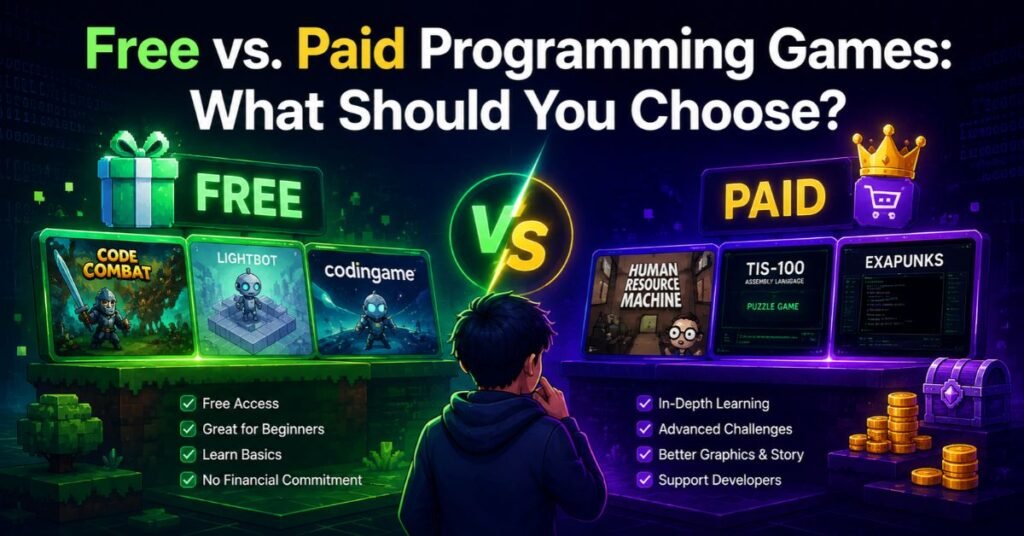
Free games lower the risk. You can test your interest at no cost. Many free coding games run in a browser. CSS Diner, Flexbox Froggy, Grid Garden, NandGame and Bitburner all cost nothing. Swift Playgrounds is free on Apple devices. CodinGame and CheckiO offer free play too. CodeCombat gives free levels with paid options. These are perfect free online coding games for a first week of practice.
Paid games usually go deeper. Human Resource Machine, The Farmer Was Replaced and the Zachtronics titles offer polished, long puzzles. Screeps has its own pricing. A good rule is simple. Start free. Move to paid games when you crave harder challenges. Always check the store for current prices before you buy.
| Type | Best for | Examples |
| Free | Testing your interest, tight budgets, quick sessions | Swift Playgrounds, NandGame, Bitburner, Flexbox Froggy |
| Free with paid extras | Longer learning paths | CodeCombat, CheckiO, CodinGame |
| Paid | Deep puzzles and long play | Human Resource Machine, The Farmer Was Replaced, TIS-100 |
How to Choose the Best Coding Game for Your Skill Level
The best game depends on three things. Think about your goal. Think about your device. Think about your budget. Match them well. Then you will enjoy the game and finish it. That is how you learn coding by playing games instead of quitting after day one.
Use the table below as a shortcut. Each row matches a goal to a few strong picks. Then read the three short sections for more detail.
| Your goal | Try |
| Teach a child the basics | CodeCombat, Swift Playgrounds, Flexbox Froggy, Human Resource Machine |
| Learn Python | CodeCombat, The Farmer Was Replaced, CheckiO |
| Learn JavaScript | Bitburner, Screeps, CodeCombat, CodinGame |
| Understand how computers work | NandGame, TIS-100 |
| Play on a phone or tablet | Human Resource Machine, 7 Billion Humans, Swift Playgrounds (iPad) |
| Play for free | Bitburner, NandGame, Swift Playgrounds, CSS Diner |
Choose a Game Based on Your Programming Goals
Want job-ready skills? Pick real-code programming games like CodeCombat, Bitburner or Screeps. Want sharper thinking? Pick games for learning computer science such as NandGame or Human Resource Machine. Want web design? Try the three CSS games. Each goal leads to different programming challenges for students and adults. Pick one goal first. Then choose one game. Finish it before you move on.
Consider Supported Programming Languages and Platforms
Check the language before you start. Python fans should try CodeCombat or The Farmer Was Replaced. JavaScript fans should try Bitburner or Screeps. Apple users get Swift programming through Swift Playgrounds. Platforms matter too. Browser games need only a web page. Mobile players can use Human Resource Machine. Desktop players can enjoy Steam titles. This helps you find coding games for mobile devices or programming games for PC with no surprises.
Check Difficulty, Pricing, and System Requirements
Read the level label first. Beginners should avoid TIS-100 and Screeps at the start. Next, check the price. Prices change often. Finally, look at system needs. Most of these titles use simple graphics. They run on modest laptops. Browser games run almost anywhere. A low-end PC can handle most picks in this guide.
Tips to Improve Your Coding Skills Through Programming Games
Play with a plan. Write down how you solved a hard level. Explaining it in your own words helps it stick. Replay an old level and make the solution shorter. That trains code optimization. Avoid looking up answers too soon. Getting stuck is part of coding skill development. Struggle first. Then peek if you must.
Finish with real work. After a JavaScript coding game, build a small web page. After a Python game, write a tiny tool for yourself. This turns play into real-world coding projects. Mix game types too. Try one logic puzzle and one real-language game each week. That gives you balanced hands-on coding practice and steady programming education.
Are Programming Games Useful for Learning Real-World Coding?
Yes, with limits. Games teach programming fundamentals very well. They train loops and conditions, debugging techniques and algorithmic thinking. Games with real languages add real programming syntax. They also deliver programming tutorials through games in a way that keeps you motivated. Still, games cannot cover everything. They rarely teach version control, teamwork or large codebases. For those, you need real projects and programming education beyond the game.
Here is an example case study. Picture a learner named Maya. This is an illustrative path, not a published study. She starts with Human Resource Machine for two weeks. She then plays CodeCombat to learn Python. Next, she tries The Farmer Was Replaced for more functions and lists practice. In the final month, she builds a small to-do app. Each step adds practical coding experience. By the end, she has both logical reasoning and a portfolio piece. That mix of play and projects works well for most learners.
Frequently Asked Questions
What are ProgramGeeks games?
On programgeeks.fr, ProgramGeeks games is the name for the coding games and programming games the site recommends. ProgramGeeks does not make these games. They come from independent studios and projects. The site is not affiliated with programgeeks.net.
Can programming games really teach you to code?
They teach core ideas like loops and conditions, conditional statements and debugging techniques very well. Games that use real languages also teach actual syntax. Pair them with real-world coding projects to become job-ready.
Which coding games are best for kids?
CodeCombat and Swift Playgrounds are great coding games for kids. Flexbox Froggy and Grid Garden also work well. Human Resource Machine suits older kids because it uses drag-and-drop commands.
Are there free programming games for beginners?
Yes. Swift Playgrounds, NandGame, Bitburner, CSS Diner, Flexbox Froggy and Grid Garden are free. CodeCombat offers free levels with paid options for more content.
Do I need coding experience to play programming games?
No. Many titles work as coding games without experience. Start with CodeCombat, Human Resource Machine or Swift Playgrounds. They teach beginner-friendly programming step by step.
Do coding games support real programming languages?
Yes. CodeCombat teaches Python and JavaScript. Bitburner and Screeps use JavaScript. Swift Playgrounds teaches Swift. Some games use fictional languages instead, such as TIS-100.
Can I play programming games on a low-end PC?
Yes. Most programming games have simple graphics and run on modest laptops. Browser games run almost anywhere. Several also run on phones and tablets.
Conclusion
ProgramGeeks games prove that learning to code can be fun. Beginners should start with Human Resource Machine, CodeCombat or Swift Playgrounds. Web fans can add CSS Diner, Flexbox Froggy and Grid Garden. Intermediate players can sharpen their skills with The Farmer Was Replaced, CodinGame, CheckiO and NandGame.
Experienced coders can chase advanced coding games like Bitburner and Screeps. Puzzle lovers can try TIS-100 and Opus Magnum. Pick one game that fits your device and goal. Play it to the end. Then build something of your own. Visit our Games hub for more genres. Visit our Software hub for editors and other apps.