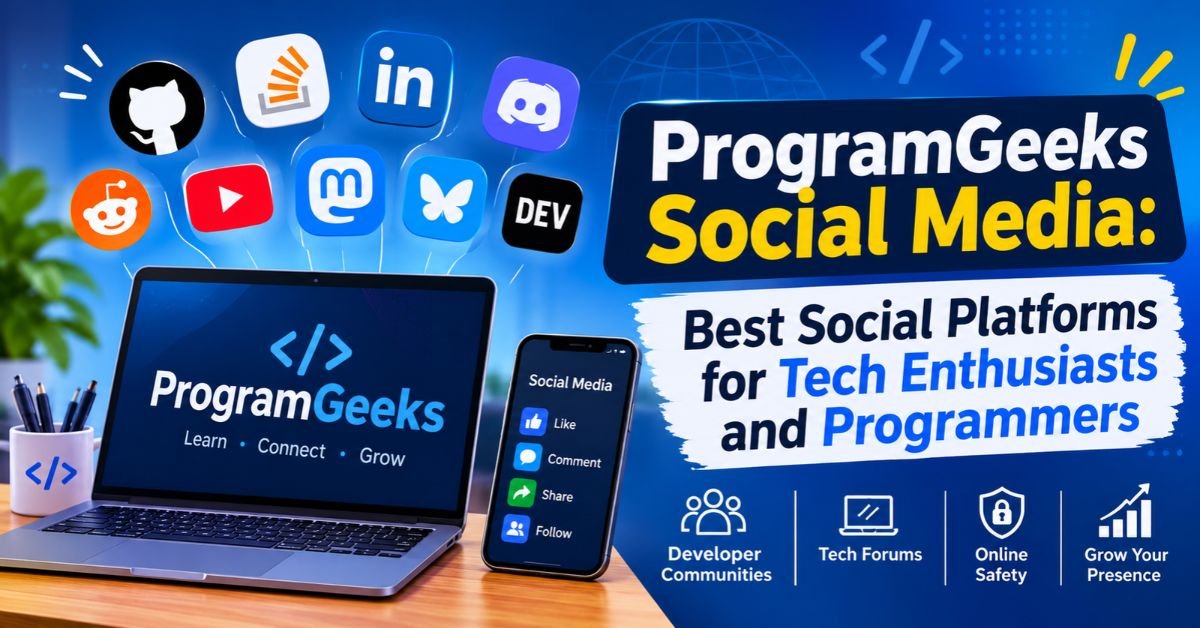
ProgramGeeks Social Media: Best Social Platforms for Tech Enthusiasts and Programmers
Where do programmers go to learn and argue? Where do they get hired? They go online. ProgramGeeks social media is a smart place to start that search. You might type “programgeeks social” or “social programgeeks” into a search box. You probably want one of two things. Maybe you want tech-focused social platforms where coders meet. Maybe you want plain facts about how social apps work and change. You’ll get both here. You’ll see social media platforms for programmers, open networks, safety rules and fresh news from 2026.
Here’s a quick note before you dive in. ProgramGeeks (programgeeks.fr) is an independent blog. It doesn’t run a social network. It has no link to programgeeks.net. You won’t sign up for anything here. Instead you’ll learn how social networking for developers works. You’ll also find which developer communities fit your goals. Along the way you’ll pick up habits that protect your accounts. Think of this page as a map. You choose the road.
ProgramGeeks Social Media: An Overview
Let’s start with a clear answer. ProgramGeeks social media is a topic hub. It covers the platforms that tech people use every day. It isn’t an app. It isn’t a login page. It’s a guide to tech-focused social platforms in plain English. You’ll find platform comparisons, safety tips and dated news. Each part helps you decide where to spend your time online. The web changes fast. That’s why the hub also points you to sourced updates.
Here’s what you’ll cover next. First, you’ll learn what the term means and what it doesn’t. Then you’ll see how social media works and how it grew. After that, you’ll meet the main developer networking platforms. You’ll compare open-source communities with decentralized social networks. Finally, you’ll get safety rules and a look at social media trends 2026. The table below gives you the short version.
| Question | Short answer |
| What is this page? | A hub guide to tech-focused social platforms |
| Who runs it? | ProgramGeeks (programgeeks.fr), an independent tech blog |
| Is it a social network? | No. It writes about platforms and doesn’t run one |
| Linked to programgeeks.net? | No |
| Best platforms for coders | GitHub, Stack Overflow, DEV Community, Hacker News, Discord |
| Best for careers | LinkedIn plus a public GitHub profile |
| Open options | Mastodon (ActivityPub) and Bluesky (AT Protocol) |
| Top safety step | Turn on multifactor authentication (MFA) |
What Is ProgramGeeks Social Media?
Search results can feel like a maze. The phrase “programgeeks social” pops up in many places. Some pages treat it as a brand. Others treat it as a topic. A few mix it up with unrelated sites. That mess is why a clear definition matters. You deserve to know what you’re clicking before you share any personal data. A short check of the domain name and the owner saves you a lot of trouble later.
Some websites describe “ProgramGeeks Social” as a developer network. They claim it has profiles, groups and code sharing. As of November 2026, no official source confirms who runs such a platform. No source confirms a launch date or terms of service either. Those gaps are red flags. Treat those descriptions with care. Verify the owner before you create an account or pay for anything. Real social networking applications publish clear rules and contact details.
Understanding the Meaning of ProgramGeeks Social Media
On this site, the phrase names a section about social platforms with a tech lens. It covers three jobs. First, it explains where tech people share and learn. Second, it gives practical advice on safety, privacy and profile building. Third, it keeps a running record of real platform news with dates and sources. You can read that record in the ProgramGeeks social media news roundup. Together these jobs support social media for tech enthusiasts who want facts instead of hype.
Is ProgramGeeks a Social Networking Platform?
No, it isn’t. ProgramGeeks is a blog that writes about social media. It doesn’t host profiles or run feeds. It doesn’t offer groups or private messages either. That difference matters for your safety. If a site asks you to join “ProgramGeeks Social” or pay for access, pause. Check who owns it first. Look for an About page and a privacy policy. Real online tech communities share who runs them. A silent site that hides its owner deserves your doubt.
ProgramGeeks.fr vs. ProgramGeeks.net: What’s the Difference?
Several sites borrow the ProgramGeeks name. This one lives at programgeeks.fr. It’s an independent tech blog. It has no link to programgeeks.net. It doesn’t speak for that site or run any of its services. Here’s an easy test you can use on any site. Read the domain name letter by letter. Open the About page. Search for the owner’s name or company. If you find nothing solid, don’t trust the site with your login or your payment details.
What Is Social Media and How Does It Work?
Social media is a set of online spaces where people create profiles and post content. You follow others. They follow you. You like and comment. You share links and videos. A feed then shows you posts in some order. That order comes from rules called algorithms. Some apps rank by time. Others rank by what you might enjoy. Understanding how social media works helps you control your time. It also helps you spot why one post spreads while another vanishes.
Platforms need money to run. Most earn it from ads. They show you posts from brands between posts from friends. Others sell platform subscriptions that unlock extra tools. Creators earn through tips and sponsors. Each model shapes the product. An ad-funded app wants you to scroll longer. A paid app may offer fewer distractions. For technology networking, that trade-off matters. You want useful talk about code. You don’t want endless noise.
Evolution of Social Media Platforms
The evolution of social networking platforms moved in waves. Early bulletin boards and forums let nerds swap tips. Blogs gave everyone a voice. Giant networks then pulled friends into one place. Soon niche sites arrived for coders. GitHub and Stack Overflow both launched in 2008. They gave developers new homes for code repositories and programming Q&A. Chat rooms and servers followed. Today open protocols let many small servers talk to each other. The table below shows the key launches by approximate year.
| Year | Platform | Why it matters |
| 2003 | Early home for professional networking sites | |
| 2005 | Reddit and YouTube | Topic forums and video tutorials |
| 2007 | Hacker News | Link sharing for startups and tech |
| 2008 | GitHub and Stack Overflow | Code hosting and developer Q&A platforms |
| 2015 | Discord | Real-time chat servers |
| 2016 | Mastodon | Server-based microblogging |
| 2023–2024 | Bluesky | Open protocol with custom feeds |
How People Use Social Media Today
People now use these apps for far more than photos. Coders read news and watch video lessons. They ask for finding coding help online and swap job leads. Students join study groups. Founders test product ideas. Many people also build a digital professional presence that recruiters can see. Most tech users mix several apps. One handles code. Another handles chat. A third handles career talk. This mix explains why the importance of social media for developers keeps growing. Digital communication for programmers now lives across many tools instead of one.
See Also: ProgramGeeks Social Media: Latest News, Platform Updates, and Trends in 2026
Best Social Media Platforms for Programmers and Tech Enthusiasts
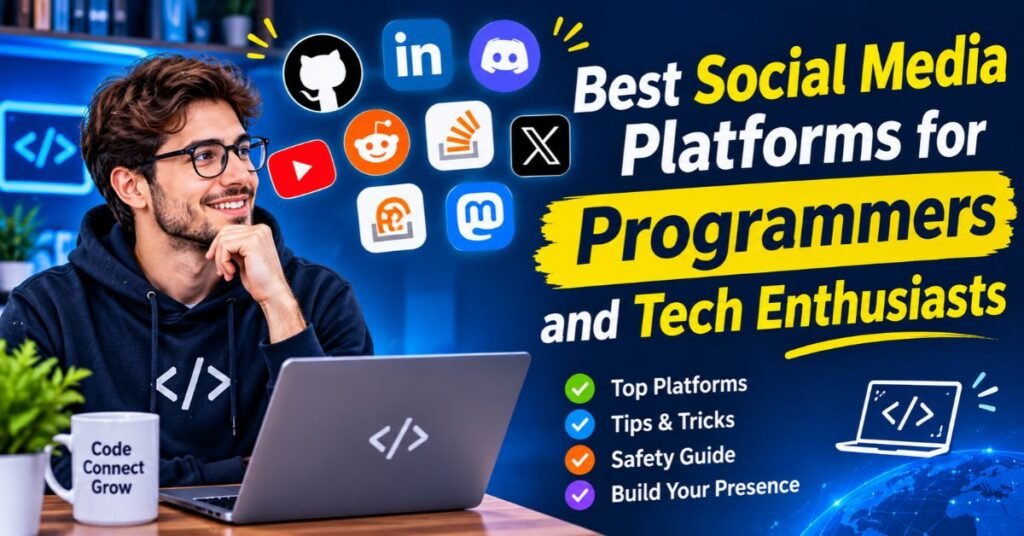
No single app does everything. That’s the first lesson. A coder often pairs a code host with a Q&A site. Add a chat community and one career network. Then the picture looks complete. This mix gives you online developer collaboration and fast answers. It also gives you a public record of your work. Each tool plays a role. Knowing those roles saves you from wasting hours on the wrong app.
What makes a platform tech-focused? Look for five features. Posts show code blocks that are easy to copy. Votes or stars signal who gives reliable help. Tags and channels keep tech industry discussions on topic. Your projects and answers act as a living portfolio. Clear content moderation rules cut spam and low-effort posts. General apps like Instagram and TikTok lack most of these tools. The table below compares the main options.
| Platform | Main use | Best for | Watch out for |
| GitHub | Code hosting and code collaboration | Portfolios and open-source software | Leaking API keys in public code |
| Stack Overflow | Programming Q&A | Fixing specific errors | Strict rules on vague questions |
| DEV Community | Blog posts and tutorials | Writing about what you learn | Uneven post quality |
| Hacker News | Link sharing and debate | Tech news and startup talk | Blunt comments |
| Topic forums | Niche language or tool groups | Different rules in each subreddit | |
| Discord | Real-time chat servers | Project and study groups | Scam links and fake support DMs |
| Career networking | Jobs, clients and B2B leads | Fake recruiter profiles | |
| Mastodon | Decentralized microblogging | Open-source and privacy-minded users | Picking a server takes time |
| Bluesky | Decentralized microblogging | Familiar feeds with choice | Smaller niche groups |
Code Sharing and Developer Q&A Platforms
Start here if you write code. GitHub has belonged to Microsoft since 2018. It’s the top choice among code-sharing platforms and answers the question of where programmers share code. Your public GitHub profile shows repositories and activity. That makes it a living developer portfolio. Stack Overflow fits when you hit a specific bug. Search first. Then ask a clear question with a small code sample and the exact error. These developer Q&A platforms reward detail and punish vague posts. Never paste secrets into either one.
Online Discussion Forums and Tech Communities
Sometimes you need opinions instead of answers. Hacker News and Reddit deliver long threads on tools and careers. They work well as programming discussion forums for platforms for discussing programming problems. Discord adds live chat. Many open-source communities, game studios and bootcamps run Discord servers. These spaces move fast. That suits people who like quick feedback. They also attract scammers. Ignore “support staff” who message you first. Read the rules of every subreddit and server before you post.
Professional Networking Platforms for Developers
LinkedIn remains the main stage for professional connections. It’s strong for finding technology jobs through social media and professional networking for software engineers. It also helps you meet clients. In September 2026, the site began testing peer checks for work history. Verified members can confirm that they worked or studied with a connection. Enough confirmations earn a badge. A company executive said this adds peer-backed credibility. You can read more in TechCrunch’s report. Pair a clean profile with a public GitHub account.
General Social Media Platforms for Tech Content
Big apps still matter. YouTube, TikTok and Instagram reach huge crowds. Technology content creators use them for tutorials and product demos. A five-minute video can teach a hard idea faster than a long post. The trade-off is attention. Viewers scroll quickly and rules can change overnight. That’s why smart creators send viewers to a blog or newsletter they own. A strong channel on a big app works best when it feeds a home base you control.
See Also: ProgramGeeks Hosting: A Complete Guide to Hosting Features, Plans, Security, and Reliability
Open-Source and Decentralized Social Media Platforms
What does decentralized mean? Picture email. You can use one provider and still write to people on another. Decentralized social networks work the same way. Many independent servers talk to each other. No single company controls every account. This model is called decentralized networking. It’s also called federated social networking. If one server shuts down you can often move. That freedom attracts many developers who value open code and public rules.
The trade-off is setup. You choose a server or a provider. Each one may set its own content moderation rules. Some places feel friendly. Others feel strict. A little research pays off here. Read the server rules and check who runs it. These privacy-focused social platforms also give you more control over data. They suit people who care about social media privacy and open standards. Short tests before you commit will save you a messy move later.
Mastodon for Developer Communities
Mastodon is a server-based communities network built on ActivityPub. That protocol became a World Wide Web Consortium (W3C) Recommendation in January 2018. This is the ActivityPub protocol explained in simple terms: it’s a shared language that lets servers swap posts. You join one server but you can follow people on any other. Many independent social media servers focus on code and open source. Pick one with clear rules and active content moderation. Visit Mastodon’s site to browse servers by topic.
Bluesky for Technology Discussions
Bluesky runs on the AT Protocol. Learn the basics of the Bluesky AT Protocol at the official AT Protocol site. Its big draw is choice. You can pick custom algorithmic feeds instead of one fixed timeline. You can also move your account between providers. That portability reflects open social networking standards. Many developers like to follow tech feeds there. The downside is size. Niche communities are smaller than on older apps. Still, it’s a fast-growing place for tech industry discussions.
Benefits and Challenges of Using Social Media for Tech Professionals

Social platforms can speed up a career. A good answer on Stack Overflow can earn trust. A smart thread on Reddit can spark a collaboration. Online community engagement also builds habits that employers notice. Still, every tool has a cost. Notifications steal focus. Arguments drain energy. Some places reward noise over skill. Knowing both sides helps you set limits. You’ll use the good parts and avoid the traps.
Think of social media as a gym. It builds strength when you train with a plan. It wastes time when you wander around. A short weekly routine works best. Choose one platform for learning and one for networking. Set a time limit for each. Then review what you gained. Treat the benefits of technology communities as goals to measure. That approach keeps you focused and keeps stress low.
Advantages of Social Media for Learning and Networking
The upsides are big. You get fast help from strangers who’ve solved your bug. You find free programming tutorials and technical discussions every day. You meet mentors and teammates across time zones. Open source gives you real online collaboration among developers. It lets you practice on live projects. Your public work becomes proof of skill. Recruiters can see it. All of this supports developer networking and knowledge sharing at almost no cost. For new coders it’s like a free campus.
See Also: Crypto and Blockchain: A Complete Beginner’s Guide to Cryptocurrency, Wallets, and Security
Disadvantages and Common Challenges of Social Platforms
Now the downsides. Information overload hits everyone. Toxic comments can sting. Scams target tech users because their accounts guard code and servers. A sudden rule change can wipe out a following overnight. Privacy slips are common too. A public post can reveal your email or location. Burnout creeps in when you chase likes. Good habits fix most of this. Mute noisy threads. Limit your time. Keep backups of your best work. Own a home base outside any single app.
How to Choose the Best Social Media Platform for Your Goals
Start with your goal instead of the platform. That one change saves weeks. Ask yourself what you want in the next six months. Do you want to learn a language? Do you want a job? Do you want an audience? Pick one or two platforms that match. Stay active there before you add more. Spreading yourself across ten apps leads to ten half-empty profiles. Depth beats breadth in social networking in the tech industry.
Use the table below as a quick guide. It links each goal to the best tools and a simple first step. Treat it as a starting point. You can adjust after a month of real use. Notice which platform gives you replies and which one drains you. Keep what works. Drop what doesn’t. Your own results matter more than any ranking.
| Goal | Best platforms | First step |
| Learn to code | Stack Overflow, DEV Community, Reddit, Discord | Join one server for your language |
| Find a job or clients | LinkedIn plus GitHub | Link both profiles |
| Build an audience | YouTube, TikTok, Instagram plus a blog | Post one short tutorial a week |
| Join open networks | Mastodon and Bluesky | Pick a server or feed |
Best Platforms for Learning Programming and Coding
Beginners need clear answers and friendly company. The best websites for learning programming mix tutorials with community help. DEV Community and Reddit offer study tips and beginner threads. Stack Overflow solves single errors. A Discord server for your language gives live feedback. These online communities for software developers shorten the learning curve. Ask small questions. Share what you tried. Thank the people who help. That habit turns strangers into mentors and makes safe participation in online communities feel easy.
Best Platforms for Finding Tech Jobs and Clients
Job hunters should lean on LinkedIn and GitHub. Keep your headline clear and your projects visible. Link your public GitHub profile to your LinkedIn page. Post short write-ups of finished work. That’s how you start connecting with potential clients. Small business owners can join LinkedIn and Facebook groups for local and industry contacts. Recruiters read both your career story and your code. Beware of fake recruiter profiles that ask you to run files. Always check the company’s real website first.
Best Platforms for Building a Personal Brand and Audience
An audience starts with a clear topic. Pick a niche such as Python tips or cloud security. Then share useful posts often. YouTube, TikTok and Instagram reach the most people. They suit growing a tech audience through short lessons. Personal branding for programmers works best when your name and photo stay the same everywhere. Point viewers to a newsletter or blog you own. Then a rule change on one app can’t erase your reach. Over time your online reputation becomes an asset.
How to Build a Strong Presence on Tech Social Media Platforms
A strong presence grows from steady, useful work. Share what you build. Explain what broke and how you fixed it. Answer questions before you ask for help. These habits are the heart of building a professional online presence. They also support showcasing software development projects in public. Each post adds a small brick. After a year, those bricks form a wall that recruiters and clients can see. Consistency beats talent on social platforms.
Picture a self-taught developer named Maya. This is an example scenario. She posts one short project note each week on DEV Community. She pins her best repository on GitHub. She answers two questions a week on Stack Overflow. She links everything from a simple LinkedIn page. After six months, a recruiter finds her through a GitHub search. That’s building a developer portfolio in action. The table below turns her habits into a plan you can copy.
| Habit | Why it works |
| Use one name and photo everywhere | People recognize you across platforms |
| Pin your best work | Visitors see your strongest proof first |
| Write short project notes | You show your thinking and your results |
| Answer questions | Helping others builds trust fast |
| Read the rules first | Each forum and server has its own norms |
| Own a home base | A personal site stays yours if an app changes |
Social Media Privacy, Security, and Online Safety Tips
Tech users make juicy targets. Their accounts can hold access to code and servers. Some even guard crypto wallets. That makes social media security a daily job. The best single move is multifactor authentication (MFA). The Cybersecurity and Infrastructure Security Agency (CISA) urges everyone to use it on key accounts. One official compared it to a seatbelt: an extra layer to keep you safe. CISA also ranks physical security keys as the strongest form of MFA. Start with multifactor authentication for social accounts today.
Scams come in many forms. Phishing scams use fake login pages. Scammers also pose as recruiters. They send files and ask you to run code. Check the recruiter’s link to the real employer through the company’s own website. Malwarebytes gives the same advice. Use a password manager to create a unique password for every site. Review your privacy settings so your email and location stay hidden. Good account security is a habit. The table below lists common threats and quick fixes.
| Threat | Quick fix |
| Leaked API keys in public code | Store secrets in environment files and rotate any leaked key |
| Phishing scams by email or DM | Never click login links from messages |
| Fake recruiter profiles | Verify the employer on its own website |
| Weak or reused passwords | Use a password manager |
| Public personal details | Tighten privacy settings |
| Stolen accounts | Turn on MFA everywhere |
Social Media Trends and Regulations to Watch in 2026
New rules are reshaping the web. Social media regulations now target age restrictions in a big way. Australia’s under-16 rule took effect on December 10, 2025. The regulator said it’s not a ban but a delay to having accounts. Its list of covered apps included Reddit and YouTube as of late 2025. You can read the rules at the eSafety Commissioner. Greece followed. Its parliament passed an under-15 law on October 23, 2026. It starts on January 1, 2027. The prime minister called it “difficult but necessary”. Platforms must check ages through a state app, according to The Next Web.
Business shifts matter too. TikTok’s US arm moved to a new joint venture in January 2026. ABC News reported the deal with Oracle, Silver Lake and MGX. Meta then launched Meta One on September 15, 2026. It bundles paid tools across Instagram, Facebook, WhatsApp and Meta AI. You can read the Meta announcement. These platform subscriptions show a clear social media trends 2026 pattern. Companies now earn money beyond ads. Stronger online safety policies also push platforms to verify users. The table below sums up the dates.
| Date | Event |
| December 10, 2025 | Australia’s under-16 account rule starts |
| January 22, 2026 | TikTok’s US joint venture closes |
| September 15, 2026 | Meta One launches worldwide |
| September 2026 | LinkedIn begins testing peer verification |
| October 23, 2026 | Greece passes its under-15 law |
| January 1, 2027 | Greece’s law takes effect |
Frequently Asked Questions
What Is ProgramGeeks Social Media?
It’s a topic hub about the social platforms that tech people use. It covers developer communities, safety tips and platform news. It isn’t an app and it isn’t a network you can join. ProgramGeeks (programgeeks.fr) is an independent blog that writes about social media with a tech focus.
Is ProgramGeeks Social a Real Social Network?
As of November 2026, no official source confirms an operator, a launch date or terms of service for a “ProgramGeeks Social” network. ProgramGeeks.fr is a blog. It doesn’t run a social platform. Check who owns any site before you share personal data or pay for access.
What Are the Best Social Media Platforms for Programmers?
It depends on your goal. GitHub is best for showing code. Stack Overflow is best for fixing errors. Discord and Reddit suit community talk. LinkedIn supports your career. Many programmers use a mix. Those coding social networks work together instead of competing.
Are Mastodon and Bluesky Good for Tech Communities?
Yes. Many developers and open-source fans use both. Mastodon runs on ActivityPub and Bluesky runs on the AT Protocol. Both rely on open standards. No single company controls the whole network. The main trade-off is a little more setup, such as picking a server.
How Can Developers Grow Their Audience on Social Media?
Share useful work often. Explain what you built and what went wrong. Answer questions to earn trust. Keep one name and photo everywhere. Use YouTube, TikTok or Instagram for reach. Then send viewers to a blog or newsletter you own. Steady posting beats bursts of activity.
How Can I Keep My Social Media Accounts Safe?
Turn on MFA and use a password manager for unique passwords. Never post API keys or passwords in public. Watch for phishing scams and fake recruiter profiles. Treat unexpected DMs with suspicion. Review your privacy settings often. These steps give you strong protecting developer accounts online coverage.
Conclusion
ProgramGeeks social media is about using social platforms with a tech lens. Pick the tool that fits your goal. Use GitHub and Stack Overflow for code. Use Discord and Reddit for community. Use LinkedIn for your career. Try Mastodon or Bluesky if you want open networks. Mix them wisely and you’ll build skills and a strong digital professional presence. Stay active on one or two platforms rather than ten.
Protect every account with multifactor authentication. Keep a home base you control. Rules and apps change fast. Check the news coverage to see what changed and when. Use sources you can verify. With the right habits, social media for tech enthusiasts becomes a powerful engine for learning and growth.