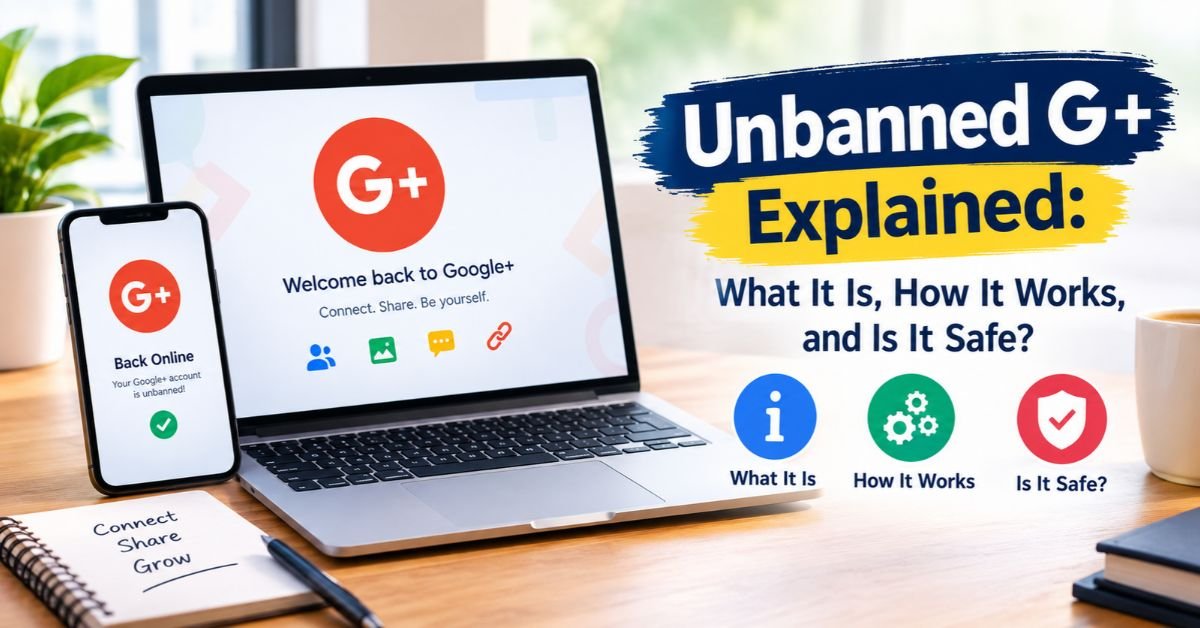
Unbanned G+ Explained: What It Is, How It Works, and Is It Safe?
A friend drops a link in the group chat. The page loads in seconds. A grid of games appears and nobody asks for a login. You wonder, what is Unbanned G+ and why does everyone share it? In short, it’s a nickname for a type of unblocked games hub. These hubs collect browser-based games and try to stay reachable on tight networks.
The topic mixes fun with risk. Free online games sound harmless until a fake pop-up appears. So the big question is simple. Is Unbanned G+ safe? The honest answer depends on the exact site. Read on for the meaning, the mechanics, the risks and some smarter picks.
What Is Unbanned G+?
Start with the basics. Unbanned G+ isn’t a company or an official app. It’s a label for Unbanned G+ gaming sites that bundle free browser games in one place. These pages belong to a wider unblocked gaming ecosystem full of unofficial gaming portals.
People use the name loosely. One person means a single page. Another means any hub with the same style. That’s why two friends can share different links and both say “Unbanned G+.” Each address deserves its own safety check.
What Does Unbanned G+ Mean?
The Unbanned G+ meaning blends two ideas. “Unbanned” hints that the site slipped past a block list. “G+” likely borrows a premium-sounding tag. No official definition exists. Anyone can reuse the name, so the label says nothing about quality or safety. Judge the page in front of you instead of the words in the link.
Is Unbanned G+ a Website, Platform, or Gaming Trend?
It’s closer to a trend than a product. One Unbanned G+ website may exist today. Dozens of cloned gaming portals may carry the same name tomorrow. Many are user-generated game clones of each other with fresh logos. Think of it as a repeating pattern across online gaming trends. A filter catches one address and a new copy appears somewhere else. That cycle keeps the term alive.
Is Unbanned G+ Connected to Google+?
No. The Unbanned G+ Google connection is a myth. The Google+ social network was a social platform with no games hub. Google announced its closure in 2018 after a security bug. The Google+ shutdown in 2019 ended the consumer service that April. Any site hinting at official Google backing is using the name as bait. Never trust a game page that claims it.
Why Is Unbanned G+ Growing in Popularity?
Speed drives the whole trend. You click a link and play within seconds. You skip installs and sign-ups. That ease fuels viral website growth among teens and office workers alike.
Culture does the rest. Friends trade scores and links all day. Each share brings new players. Meanwhile, tight rules push many people toward restricted network gaming options. Together, these forces create steady growth.
Instant Access to Browser-Based Games
Instant play is the main hook. Browser-based games open in a tab and start at once. You skip the app store and the progress bar. That convenience suits short gaming sessions between classes or tasks. A round lasts two or three minutes. For many people, that speed beats any big console title. It also explains why free online games with zero setup keep winning clicks.
Compatibility With Chromebooks and Other Devices
Chromebooks live inside the browser. That makes Chromebook games a natural match. A web page needs no extra software. The same page also runs on laptops, tablets and phones. This cross-device gaming ability matters on shared school machines. Still, browser game compatibility varies from title to title. An outdated browser may stutter on heavier games. Updating Chrome usually fixes most problems.
Low Hardware Requirements and No Downloads
Most hubs run lightweight online games. They rely on small files and simple graphics. That suits low-spec device gaming well. You won’t need a graphics card for most titles. Some 3D games do ask for more power though. The bigger perk is games without downloads. You get browser games without installation, which also keeps your storage free. You dodge install-time malware too. Just watch the ads.
Social Sharing and the Popularity of Unblocked Games
Sharing powers this scene. A link travels through a group chat in minutes. Gaming link sharing needs no advertising budget. Friends then challenge each other to beat a score. That loop keeps unblocked games alive. It also shapes student gaming behavior, because a working link becomes social currency. Once one class finds a trick, the next class hears about it by lunch.
Why Students Search for Unbanned G+
Students want something simple. They ask where they can play a quick game on the school network. Many search for unblocked games for students because their usual sites don’t load. Others want online games for students that feel safe. A good share check safety first. The search intent mixes fun with caution. That’s why clear safety advice matters so much here.
How Do Unbanned G+ Gaming Platforms Work?
Peek behind the curtain and the setup looks plain. Most gaming hubs are static web pages. Game files sit on a server. The page embeds them and wraps ads around them. That’s the core of how Unbanned G+ works.
This lightweight gaming architecture costs little to run. Anyone with basic skills can copy it. As a result, copies spread fast. The model rewards volume over quality.
How Browser-Based Games Run
Your browser does the heavy lifting. The server only sends files. Your tab then runs the game code on your own device. Nothing installs on your system. That design makes browser gaming platforms feel so light. It also lets the page show ads and track clicks while you play. Remember that the game and the page around it are separate things.
The Role of HTML5 in Modern Online Gaming
HTML5 changed everything. Flash once powered these sites. Adobe ended Flash support on December 31, 2020. Hubs then moved to HTML5 games. That switch pushed HTML5 browser gaming into the mainstream. HTML5 game delivery works on phones as well as desktops. Better yet it needs no plugin. That openness also made cloning a hub far easier.
Why Unblocked Gaming Websites Change Domains
Block lists track addresses. When a filter catches one the owner moves. A fresh domain appears and the cycle restarts. These alternative gaming domains explain why links die so often. Unblocked gaming websites also spread across many hosts. That decentralized gaming websites pattern makes shutdowns slow. Yet it isn’t magic. Hosts can remove pages and filters keep learning. Domain changes and website accessibility problems frustrate players too.
How Game Libraries and Lightweight Platforms Work
Each hub keeps a library. Owners gather game files from many places. Some are old classics. Others are fan-made clones. Web-based game libraries sort titles by category. Search boxes and thumbnails complete the page. Ads pay the bills. Quality control is rare. That’s why a hub can feel great one day and spammy the next.
See Also: Money BetterThisWorld: A Complete Guide to Smarter Money Management in 2026
What Types of Games Are Available on Unbanned G+?
Variety is the draw. Hubs offer hundreds of titles in neat categories. Most are casual online games with simple rules. You can learn them in seconds.
Quality swings widely though. Some titles look polished. Others are rough copies. Here’s a quick snapshot of what each type offers.
| Game Type | Typical Session | Controls | Best For |
| Action and arcade | 3 to 10 minutes | Keyboard | Quick thrills |
| Racing and driving | 2 to 5 minutes | Arrow keys | Fast breaks |
| Sports and multiplayer | 3 to 8 minutes | Keyboard or mouse | Friendly rivalry |
| Puzzle and strategy | 3 to 15 minutes | Mouse | Calm focus |
| Classic and idle | Open-ended | Mouse | Nostalgia |
Action and Arcade Games
Arcade games online deliver fast thrills. Think platformers, simple shooters and obstacle runs. Controls stay easy. Rounds end quickly. That pace suits short gaming sessions perfectly. Difficulty ramps up fast though. Many players restart a level five times without noticing. These free gaming websites often add score boards to spark friendly rivalry.
Racing and Driving Games
Racing browser games rank among the most popular picks. They load fast and use only arrow keys. A single lap lasts a minute or two. Shared school laptops handle them well. Drift challenges and stunt tracks add variety. Graphics stay basic yet fun. Many fans call them the gateway to school unblocked games.
Sports and Multiplayer Games
Sports browser games cover basketball, soccer, golf and more. Two-player modes share one keyboard. That makes them social. Online matchmaking is rare on small hubs. Most multiplayer fun happens on one screen. Rules stay simple so anyone can join. Because many titles are clones, quality varies. Test the controls first. Then pick the version that feels smooth.
Puzzle and Strategy Games
Brain teasers fit short breaks. Puzzle games online range from match-three boards to logic mazes. Strategy picks include tower defense and simple card battles. They use the mouse so any trackpad works. Many players enjoy the calm pace. Puzzle titles often show fewer ads during play. Even so, watch for banners that mimic game buttons. They aim to trick a quick click.
Classic Browser Games
Nostalgia sells. Old favorites such as snake clones and idle clickers keep returning. These casual gaming experiences need almost no resources. Idle games can run in a background tab for hours. That’s both a perk and a trap because time slips away. They feel harmless. Yet they can become a digital distraction fast. Set a timer and you stay in control.
Can You Play Unbanned G+ Games at School?
The honest answer is “it depends.” Every district sets its own rules. Some filters block all gaming sites. Others block only known domains. A page that works on Monday may fail on Friday.
Can you and may you are different questions. Technical access doesn’t equal permission. Understanding unblocked games at school means knowing both sides. Rules, filters and logging all play a role.
Why Schools and Workplaces Block Gaming Websites
Schools block games for clear reasons. Distraction tops the list. Bandwidth and security follow. Managers use the same logic at work. School internet filtering sorts sites into categories and blocks the ones marked as games. These content filtering systems also catch risky ads. Teachers want focus. IT teams want safe networks. Both goals justify the school network restrictions you see every day.
Do Unblocked Games Work on School Chromebooks?
Sometimes. Games on school Chromebooks depend on how the district manages them. Managed Chromebook devices follow central policies. Admins can block sites and extensions. A new domain may slip through for a few days. Then the filter updates. Treat any success as temporary. Never expect games on restricted networks to work forever. Never install extensions to force a page open either.
What Happens When a Game Is Blocked on Your Network?
You usually see an error page or a block notice. The attempt may also land in a log. School network monitoring can record domains and times. Repeated tries may trigger a warning. In some cases a teacher or parent receives a report. Don’t use shady proxy tricks to bypass the block. Those tools often carry cybersecurity threats of their own. Simply switch to an allowed activity.
See Also: Bobbilou05 in the Digital World: Meaning, Identity & Online Presence (2026)
Understanding School Network Rules and Acceptable Use Policies
Every student follows a school acceptable use policy. It states what you can do on school devices. Gaming during class often breaks it. Penalties range from a warning to lost device privileges. Network access policies usually cover personal phones on school Wi-Fi too. Read your policy once. Knowing it protects you. If you want to play, wait for break time on your own device at home.
Is Unbanned G+ Safe to Use?
Safety depends on the specific site. No single Unbanned G+ exists to vouch for. So unblocked gaming site safety always starts with one address at a time. Some pages are harmless. Others hide traps.
The games rarely cause the harm. The things around them do. Ads, prompts and downloads create most online gaming security risks. Strong safe browsing practices and digital safety awareness cut that risk a lot.
Potential Malware and Security Risks
Malware in gaming websites usually arrives through ads and fake buttons. A big green “Download” button may hide an installer. Suspicious game downloads can carry spyware or adware. Malicious pop-up ads may claim your device is infected. Close them and never call the number shown. Browser redirects can also bounce you through several pages before landing on a scam. If a click sends you somewhere new, leave at once. Malicious advertising remains the main delivery route.
Privacy, Tracking, and Data Collection Concerns
Online gaming privacy matters even on free sites. Many hubs run trackers to measure ads. Few explain this clearly. Gaming websites and privacy policies often don’t match. Some sites have no policy at all. That’s a red flag for gaming website legitimacy. Good online privacy protection means blocking trackers and skipping any form. Real free games without accounts need no email from you. If a page asks for one, decline.
Warning Signs of Unsafe Gaming Websites
Spot the red flags early. Consider a quick example. A student opens a hub and sees a pop-up reading “Verify your Google account to continue.” The page looks real. But the address doesn’t belong to Google. Typing the password would hand the account to a thief. That’s how phishing login pages and fake Google login prompts work. It’s credential theft in plain sight. A real hub never needs your password. Forced downloads and suspicious browser permissions like notification requests also signal trouble. The table sorts safer signs from warning signs.
| Feature | Safer Sign | Warning Sign |
| Game loading | Plays in the browser tab | Asks for a download |
| Login | None needed | Asks for a Google password |
| Ads | Basic banner ads | Aggressive pop-ups and redirects |
| Permissions | None requested | Asks to send notifications |
| Address | Stays stable | Changes constantly |
| Privacy page | Clear policy and owner | No policy and no contact |
Tips for Safer Browser-Based Gaming
Safe browser gaming takes a few habits. Use an ad blocker on personal devices. Keep your browser and antivirus updated. Check a site with Google’s Safe Browsing transparency report before you trust it. This gaming website verification step takes ten seconds. Never enter credentials. Never install launchers. Prefer safe gaming websites with named owners. These responsible online gaming habits protect both your device and your accounts.
Is Unbanned G+ Legal?
Playing a browser game is rarely illegal. The site hosting it is another matter. Some hubs copy games without permission. That raises real questions about gaming website legitimacy. General facts here aren’t legal advice.
Rules also differ by country. A worldwide audience means no single answer fits. When in doubt, choose official game publishers and official gaming alternatives.
Copyright and Website Legitimacy
Copyright is the big issue. Many unofficial gaming portals upload titles without a license. Creators lose income when that happens. Visitors rarely face trouble. Still, you support unclear sources by using them. Look for credits, a contact page and a privacy policy. A named owner signals gaming website trustworthiness. Missing details signal risk. Choosing licensed sites keeps creators paid.
See Also: Droven.io Best Tech Tools for Developers: Ultimate Guide for 2026
The Difference Between Legal Access and Network Policy Violations
Legal and allowed aren’t the same thing. A game may be perfectly legal and still break your school or office rules. A policy violation can bring discipline even when no law applies. Think of eating snacks in a library. No crime occurs. Staff can still ask you to stop. Always check your local network access policies before you play.
Unbanned G+ vs. Traditional Gaming Platforms
Comparison clears the fog. Traditional platforms come from named companies. They publish rules and fix problems. Unbanned G+ style hubs have anonymous owners and little oversight.
Neither side wins every round. Convenience favors hubs. Trust favors official stores. Smart gaming platform comparisons weigh both.
Browser Games vs. Downloadable Games
Browser titles start instantly. Downloads offer deeper graphics and saved progress. Browser gaming limitations include weaker visuals and spotty saving. Downloadable games need storage and updates. They also come from stores that scan files. Pick browser games for quick fun. Pick downloads for long adventures.
Unblocked Gaming Sites vs. Official Gaming Websites
Official sites show who runs them. They moderate content and publish policies. Unblocked portals often hide their owners. That gap drives most of the risk. Official game publishers also fix bugs and remove harmful ads. Yet unblocked portals win on speed and access. Weigh that trade honestly before you click.
Comparing Accessibility, Privacy, and Performance
The table shows the trade-offs at a glance. Online gaming accessibility favors hubs. Privacy favors official platforms. Performance depends on the title and your device.
| Factor | Unbanned G+ Style Hubs | Official Gaming Sites |
| Owner | Often anonymous | Named company |
| Moderation | Little to none | Reviewed content |
| Privacy policy | Often missing | Usually published |
| Ads | Heavy | Controlled |
| Stability | Short-lived addresses | Stable |
| Accessibility | Easy on restricted networks | May be filtered |
| Performance | Fine for simple games | Stronger for complex games |
Advantages and Disadvantages of Unbanned G+
The appeal is easy to see. Play is free and fast. Setup is nearly zero. That’s why the trend lasts.
The cost is just as real. Risk, rule trouble and lost time come with the fun. Balance matters here.
Key Benefits of Unblocked Browser Gaming
The benefits are real. Free gaming websites cost nothing. Games without downloads save storage. Mobile browser games work on phones during a commute. Web-based entertainment fits tiny breaks. Variety stays huge. Sharing is easy. For many players it’s free-to-play browser entertainment at its simplest. These perks explain the loyal following.
Common Limitations and Potential Risks
Costs hide behind the fun. Ads can overwhelm the page. Phishing and malware sit one wrong click away. Policy trouble can follow you home. Time also vanishes quickly. That digital distraction hurts homework and work. Quality varies. Saves often fail. Browser limits cap graphics. Weigh these costs before making hubs a habit.
What Are the Best Alternatives to Unbanned G+?
Good gaming site alternatives exist. They deliver the same quick fun with less risk. Look for named owners and clear policies.
Quick checks help. Does the site publish a privacy page? Does it avoid forced downloads? Does it explain how it earns money? Three yes answers point to a safer pick.
Legitimate Websites for Free Browser Games
Seek free browser games from known publishers. Established portals such as Poki and CrazyGames publish company details and ad policies. Some schools still block them. Check each one’s privacy page before you play. These browser-based entertainment options keep the instant feel. They add moderation and stability. Bookmark two or three and skip random links from chats.
Official HTML5 Gaming Platforms
Platforms built around HTML5 games give creators a proper home. itch.io hosts thousands of browser titles with creator pages. Many listings show clear credits. These online gaming platforms also support updates and takedowns. That structure helps gaming website verification. Expect cleaner pages and fewer scams. Quality ranges from indie gems to quick demos. Read the comments before you play.
Safe Gaming Options for Chromebooks and Mobile Devices
Chromebooks and phones have trusted stores. Official app stores scan apps for malware. Many educational gaming platforms also fit school rules. Approved school gaming resources support educational technology goals while still feeling like play. Teachers often share lists of school gaming websites and gaming websites for students that IT has cleared. Ask for one. That keeps you safe and out of trouble.
Common Unbanned G+ Misconceptions
A vague name breeds myths. People repeat them because they sound plausible. Three claims come up again and again.
A simple rule clears most confusion. Trust behavior over labels. A site earns trust by what it asks and what it shows.
Is Unbanned G+ an Official Google Service?
No. Google runs no games hub under this name. The Google+ social network closed for consumers in 2019. Any claim of official backing is false. Treat a page that asks for your Google password as a threat. It’s almost certainly a phishing attempt.
Does Unbanned G+ Guarantee Access to Blocked Games?
No guarantee exists. Filters update often. Links die. A site that works today may vanish tomorrow. Anyone promising “always unblocked” oversells. Plan for failure. Keep a safe backup such as an approved educational game site.
Are All Unblocked Gaming Websites Safe and Trustworthy?
No. Some are tidy. Others are traps. A label never proves safety. Behavior does. Judge each hub by what it asks and what it shows. Treat unblocked game portals with care. Skip any page that wants a login or a download.
See Also: Truzio Explained: Features, Business Benefits, and Digital Transformation in 2026
The Future of Unblocked Browser Gaming
Expect the same cat-and-mouse pattern. New names will appear and filters will adapt. Smarter category-based filtering will catch more sites automatically.
The calmer shift may come from approved platforms. Schools increasingly offer vetted games. That trend could shrink the appeal of risky hubs over time. Unofficial hubs will likely stay around though.
The Continued Growth of HTML5 Games
Engines keep improving. WebGL and WebAssembly make browser titles richer each year. Developers like that one build reaches every device. Expect sharper graphics and faster loading. The tools that power HTML5 games also help legitimate studios. That means more safe choices alongside the shady ones.
Improvements in Browser and Cloud Gaming
Browsers get faster with each release. Cloud gaming streams heavy titles to weak devices. Better browser compatibility reduces glitches. These advances may let schools allow more games under tight control. Meanwhile, filters will also grow smarter. Players should expect progress on both sides.
The Rise of Mobile-Friendly Gaming Experiences
Phones now dominate casual play. Developers design touch controls first. Mobile browser games load quickly on modest data plans. Responsive layouts adapt to any screen. This shift favors short sessions and easy sharing. It also raises new privacy questions on small screens. Stay alert to permission prompts.
Frequently Asked Questions
What Is Unbanned G+?
Unbanned G+ is a nickname for unofficial unblocked games hubs. They host browser games without installation and try to stay reachable on restricted networks. No single company owns the name.
Is Unbanned G+ the Same as Google+?
No. Google+ was a social network that closed for consumers in April 2019. It never ran a games hub. Any claim of a Google link is false.
Is Unbanned G+ Safe to Use?
It depends on the site. Many pages carry heavy ads and redirects. Use an ad blocker and avoid downloads. Never enter a password.
Is Unbanned G+ Free?
Yes. Most hubs offer free online games without payment. Ads fund them. Some sites push paid extras or subscriptions, so read prompts closely.
Do Unbanned G+ Games Require Downloads?
No. Real browser games run in the tab. A download request is a warning sign. Close the page.
Can You Play Unbanned G+ Games on a Chromebook?
Often yes. Chromebooks handle web pages well. Managed devices may still block them. Good browser compatibility also helps, so keep Chrome updated.
Why Do Unbanned Gaming Websites Keep Changing Domains?
Filters block known addresses. Owners then move to new ones. That cycle repeats because copies are cheap to make.
Can Unblocked Games Contain Viruses?
They can. The games are usually harmless. Fake buttons, bad ads and shady redirects cause most infections.
Why Do Schools Block Unblocked Gaming Websites?
Schools want focus and safe networks. They also save bandwidth. Filters stop distractions and risky ads.
Final Thoughts
Unbanned G+ isn’t one product. It’s a label for casual hubs that spread through sharing and constant copying. The upside is free online entertainment with no setup. The downside is real too. Expect heavy ads, phishing tricks and possible policy trouble.
Stay sharp and check each site on its own. If a page stays in the tab and asks for nothing, the risk drops. If it wants a login or a download, close it. Choose safer options when you can and keep your accounts out of the mix.