
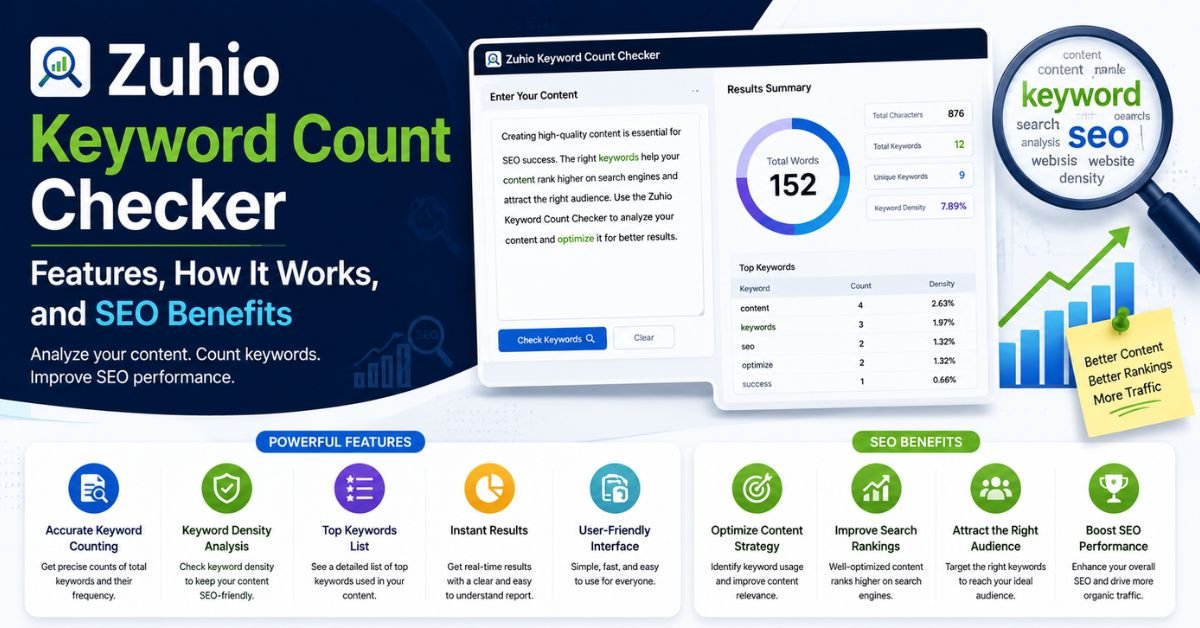
Zuhio Keyword Count Checker: Features, How It Works, and SEO Benefits
Every writer who cares about search engine optimization knows the struggle. Use a keyword too little and Google may miss your point. Use it too often and your writing starts to sound like a broken record. Finding the sweet spot takes more effort than most people expect.
The Zuhio Keyword Count Checker makes that job easier. It is a browser-based SEO tool that reads your text and returns a clear number. You paste your draft. You type your target keyword. The tool then shows the keyword occurrence count, the keyword density percentage, and the total word count. According to a hands-on review on Axeetech, you don’t need an account, and the tool lives on zuhio.com.
Ahead, you’ll learn what this keyword counting tool does, how to use it, and where it falls short. You’ll also see who gets the most value from it and how it compares with bigger platforms. Writers all over the world can use these ideas. By the end, you’ll know exactly where it fits in your SEO writing workflow.
What Is the Zuhio Keyword Count Checker?
The Zuhio Keyword Count Checker is a free, web-based keyword density checker. It measures how often a specific word or phrase appears in your text. It also shows the total word count, so you can see the keyword in context. Think of it as a quick mirror for your draft. It reflects your keyword usage back to you in plain numbers.
Unlike big suites, it does one job. That focus is its charm. It belongs to the family of single-purpose SEO tools that open fast and stay out of your way. Busy writers love that. You don’t need to learn menus or watch a tutorial. You paste, check, and edit. Because the tool isn’t trying to be everything, it fits easily into any content editing workflow.
How Does the Zuhio Keyword Count Checker Work?
The tool follows a simple path. You paste your content into the text box. Next, you enter the keyword you want to track. Then you click the analyze button. Within seconds, the tool scans your text and returns its results. This approach is a classic example of keyword frequency analysis made easy.
The tool only reads what you give it. It doesn’t crawl your site. It doesn’t pull in search data. That limit keeps results fast and predictable. It also means the numbers match your draft exactly. Below, you’ll see the four main parts of the process.
Keyword Frequency and Phrase Matching
The core job is keyword matching. The tool looks for your exact keyword phrase and counts each match, which gives you the keyword occurrence count. Single words work well. Longer phrases work too. Remember that exact matching is strict. If you search for “keyword count checker,” a sentence with “checker for keyword counts” won’t count. That’s why this keyword frequency checker helps you see the literal repetition in your text. Search engines read meaning too, so related phrases still matter.
Keyword Density Calculation
Next comes the keyword frequency calculation. The tool turns your raw count into a keyword density percentage. The keyword density formula is simple: divide the keyword count by the total words, then multiply by 100. A 1,000-word post with 10 uses has 1% density. This keyword usage percentage gives you a sense of proportion. A count of 10 means little alone. In a 300-word text, it’s heavy. In a 3,000-word text, it’s light. The table below shows how the math works.
| Total Words | Keyword Count | Keyword Density |
| 500 | 5 | 1% |
| 1,000 | 10 | 1% |
| 1,500 | 15 | 1% |
| 800 | 16 | 2% |
| 2,000 | 10 | 0.5% |
Total Word Count Analysis
The tool doubles as a word count checker. The total content word count appears next to your keyword results. That detail matters more than you’d think. Many clients set length targets for SEO content writing. Editors also use word counts to plan layouts. With one paste, you get both the keyword data and the length. You skip a second tool and save a few clicks. Over a week of drafts, those saved clicks add up.
Multiple Keyword Checking
Good articles use more than one term. You’ll have a primary keyword and several secondary keywords. The tool handles single keyword analysis in each run. To get multiple keyword tracking, check each term in turn and note the results. A small notebook or spreadsheet helps here. Because the page may change, always confirm current features on the live tool. This quick routine gives you a full picture of keyword distribution across your draft.
See Also: RobTheCoins: What It Is, How It Works, Features, and Business Model
Key Features of the Zuhio Keyword Count Checker
A few features make this tool handy. Each one targets a real pain point for writers. Together, they turn a basic counter into a useful content optimization tool for daily work. The design is plain on purpose. Nothing flashy gets in the way.
These features also explain why lightweight SEO utilities keep growing in popularity. Many people don’t need a giant dashboard. They need an honest number and a clear view. The sections below break down what you get.
Instant Keyword Counting
Speed is the headline feature. Paste your text and the keyword occurrence result appears almost right away. You don’t wait for a crawl or a report. That speed suits a quick SEO content review. You can run a check midway through a draft. You can run another after each edit. Fast feedback helps you fix keyword repetition while the draft is still fresh in your mind.
Long-Tail Keyword Support
Modern search favors longer phrases. People type full questions and detailed needs. The tool supports phrase-based keyword checking, so you can enter a multi-word term. That makes long-tail keyword analysis possible for blog posts and product pages. Try a phrase like “free keyword count checker for bloggers.” The tool will count how often that exact string appears. Long phrases rarely repeat by accident. If the count is zero, you know you need to work the phrase in naturally.
Simple, Distraction-Free Interface
The layout is clean. You see a text box, a keyword field, and a button. There are no pop-up menus and no crowded sidebars. That clarity reduces mistakes and mental load. A calm screen also keeps you focused on the writing itself. For beginners, it removes the fear of “doing SEO wrong.” You can learn the whole tool in under a minute.
Free Access Without Account Registration
Cost and friction stop many people from trying new tools. This one removes both. It counts among the free SEO tools you can open and use at once. Based on the Axeetech review, no sign-up is needed. That makes it handy for students, freelancers, and anyone on a tight budget. It also means your drafts aren’t tied to a profile. As always, avoid pasting private or confidential material into any online tool.
How to Use the Zuhio Keyword Count Checker
Using the tool takes six small steps. The process mirrors a normal editing routine, so it won’t slow you down. Follow it in order the first few times. After that, it becomes second nature. The goal is steady, natural keyword usage rather than a perfect score.
The best results come during editing. Draft first. Check second. Adjust third. If you check too early, you may bend your writing around a number. If you check too late, you may miss easy fixes. The steps below keep you on track.
Step 1: Prepare Your Article or Content
Start with a clean draft. Finish your ideas first and fix obvious typos. Remove notes, comments, and extra code from the text. Stray symbols can throw off a keyword frequency tracking result. Copy only the part you want to measure. For a full post, include headings and body text. For a product page, include the description. A tidy draft gives you honest numbers.
Step 2: Identify Your Primary and Secondary Keywords
Pick your target keyword before you check anything. Your primary keyword is the main phrase your page should rank for. Then choose a few secondary keywords that support it. Good keyword research comes first, and it usually happens in another tool. Write your list on paper. A focused list keeps your keyword analysis simple and your content on topic.
Step 3: Enter Your Target Keywords
Type your main phrase into the keyword field. Use the same wording you plan to rank for. Small changes matter because the tool uses exact-match keyword counting. For example, “keyword counter” and “keyword count checker” count as different phrases. Check your spelling twice. A single typo will return a count of zero and cause needless worry.
Step 4: Paste Your Content
Place your full text into the main box. Look at the pasted content for odd line breaks or missing paragraphs. Then confirm the keyword field still holds your phrase. This step is quick, yet it prevents silly errors. A half-pasted draft gives a false keyword density reading. Make sure everything you want measured is inside the box.
Step 5: Analyze Keyword Count and Density
Click the analyze button and read the results. You’ll see the keyword count, the density, and the word total. Ask three questions. Does the count feel too low for the topic? Does the density look pushy? Does it match what you see on the page? This step is your quick content analysis. It tells you where the draft stands right now.
Step 6: Review and Improve Your Content
Now act on the numbers. If the keyword barely appears, add it where it fits naturally. If it appears too often, swap some uses for synonyms or pronouns. Then paste the new version and run the check again. This loop works well for draft comparison. Stop when the text reads smoothly and the numbers look sensible. You don’t need to chase a perfect figure.
Keyword Count vs. Keyword Density: What’s the Difference?
The two terms sound alike, yet they answer different questions. Keyword count tells you how many times a phrase appears. Keyword density tells you what share of your text that phrase takes up. A count of 12 sounds fine until you learn the article has only 400 words. Density puts the number in context. You need both for a fair read.
Count helps when you set a minimum target. Density helps when you worry about keyword stuffing. The table below shows the contrast. Use it as a quick reference during editing.
| Measure | What It Shows | Best Used For | Weak Spot |
| Keyword count | Raw number of matches | Checking if a keyword appears at all | Ignores text length |
| Keyword density | Percentage of total words | Spotting overuse in long or short text | Ignores meaning and context |
Why Keyword Counting Still Matters for SEO
Some people say keyword counting is outdated. That claim goes too far. Search engines have grown smart, yet they still read your words. Your keyword usage helps them learn what a page covers. Counting won’t win rankings alone. It does, however, act as a handy health check for SEO content optimization.
Think of it like checking your tire pressure. It won’t get you to your destination. It does help you avoid trouble on the road. A quick count catches obvious problems before a reader or a search engine does. The three ideas below explain why it still earns a place in your routine.
Understanding Keyword Frequency and Content Relevance
Search engines look for content relevance signals. Your main phrase is one of them. If it never shows up, the page may look off-topic. A fair level of keyword frequency helps connect your text to the right searches. Still, frequency is only one signal among many. Topic coverage, related search terms, and clear structure also help. Use the count to confirm the basics. Then build depth around them.
Identifying Excessive Keyword Repetition
Overuse is easy to miss. After hours of editing, your eyes skip over repeated phrases. A keyword density checker spots them in seconds. Compare these two lines. The weak one says, “Our keyword tool is the best keyword tool for any keyword job.” The better one says, “Our tool handles any counting job with ease.” Fixing excessive keyword repetition protects your readers. It also helps you avoid over-optimized content that looks spammy.
See Also: JournalWord.com What It Is, Content, Features, Safety, and SEO Analysis
Supporting Natural and Readable Content
Readers come first. A page that reads well keeps people around. That’s why content readability matters as much as any count. Use the tool to find clumsy spots. Then rewrite them in a natural writing style. Aim for balanced keyword usage that supports the message. This habit leads to reader-friendly content and helps you practice helpful content creation.
Is There an Ideal Keyword Density for SEO?
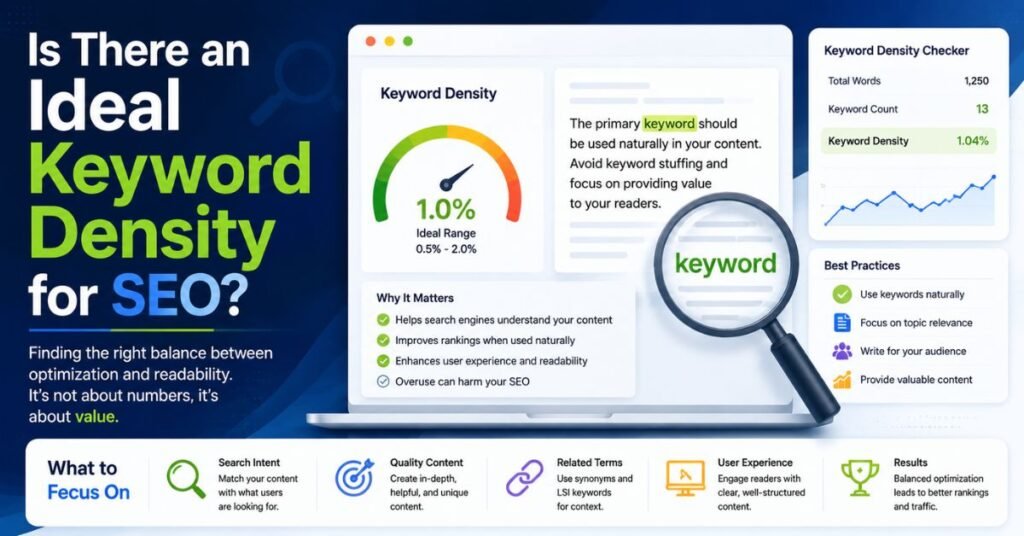
Many writers hunt for a magic number. You’ll often see a range of one to two percent. That figure works as a loose rule of thumb. It isn’t an official rule. Google’s own guidance on helpful content focuses on people-first writing, not on a set percentage. So treat any density target as a guide rather than a law.
A better goal is balanced keyword usage. Use your phrase where it fits. Add related terms to widen the topic. Then read the page aloud. If it sounds natural, you’re probably fine. The keyword density percentage should confirm what your ear already tells you. When the number and the sound disagree, trust the sound.
How to Build an Effective SEO Keyword List
A strong list guides every edit. Without one, you’re counting words that may not matter. Good lists mix several keyword types. Each type plays a different role in your SEO content strategy. The sections below explain the four main kinds.
Start your keyword research with your reader in mind. Ask what they would type into a search box. Then group the answers by purpose. This habit keeps your keyword analysis workflow organized and your content focused. The table shows an example based on a single topic.
| Keyword Type | Example | Role in Your Content |
| Primary | Zuhio Keyword Count Checker | Main focus of the page |
| Secondary | keyword density checker | Supports the main topic |
| Long-tail | free keyword count checker for bloggers | Targets specific needs |
| Question-based | how do I check keyword density | Matches natural questions |
Primary Keywords
Your primary keyword is the star of the page. Choose one clear phrase. It should match what your reader wants. Place it in the title, the intro, and a few headings. Don’t force it into every paragraph. A single strong focus beats a scattered one. This choice shapes the rest of your keyword optimization plan.
Secondary and Related Keywords
Secondary keywords add depth. They cover side topics and close variations. Examples include “word count checker” and “keyword frequency analysis.” These related search terms help build semantic content optimization. They also reduce the pressure on your main phrase. Spread them across sections where they fit. Your page then covers the topic more fully.
Long-Tail Keywords
Long-tail phrases are longer and more specific. They often bring readers who know what they want. A phrase like “browser-based keyword checker for bloggers” shows clear intent. These phrases face less competition too. Use long-tail keyword analysis to confirm they appear in your text. Place them in subheadings or answers where they sound natural.
Question-Based Keywords
People love asking questions. Many searches start with “how,” “what,” or “is.” Question-based phrases match that habit and support search intent alignment. Use them as subheadings or in an FAQ block. Then answer each one in a few clear sentences. This format helps readers and may help your page appear for question searches. It also keeps your writing direct.
See Also: AnalyzingMarket.com: Business, Finance, Technology, and Market News
Where Should You Place Keywords in SEO Content?
Placement matters as much as count. A keyword in the right spot sends a clearer signal than five in the wrong ones. Good keyword placement also helps readers scan your page. They see the topic fast. They stay oriented as they read. This is the heart of a smart keyword placement strategy.
The tool can’t tell you where a keyword sits. It only counts matches. You need to check the spots yourself. The table below gives a simple guide. Use it as a checklist during on-page SEO work.
| Location | Priority | Tip |
| Title tag and H1 | High | Use the main phrase once, near the start |
| Introduction | High | Mention it within the first 100 words |
| Subheadings | Medium | Use variations, not copies |
| Body text | Medium | Spread it out evenly |
| Meta description | Medium | Include it with a clear benefit |
| URL | Medium | Keep it short and readable |
Keywords in Titles and Headings
Titles and headings carry weight. Readers see them first. Search engines also treat them as strong clues. Put your main phrase in the title and H1. Then use variations in your H2 and H3 tags. For example, mix “keyword count checker” with “keyword density tool.” This approach supports content structure optimization without sounding repetitive. Keep every heading clear and honest.
Keywords in Introductions and Main Content
Your opening sets the stage. Mention the topic early so readers know they’re in the right place. Then let the keyword appear naturally across the body. Aim for good relevant keyword distribution, not clumps. Use synonyms and pronouns to vary the language. This habit supports natural keyword placement and keeps your blog post optimization smooth. Check the spread with a quick scan after each edit.
Keywords in Meta Descriptions and URLs
Meta descriptions and URLs sit outside your main text. The Zuhio tool doesn’t check them, so review them by hand. A good meta description names the topic and promises a benefit. A good URL is short and easy to read. Compare “/zuhio-keyword-count-checker” with “/post?id=4821.” The first one wins. These small details support on-page content improvements and help your page look trustworthy in Google search results.
What the Zuhio Keyword Count Checker Cannot Do
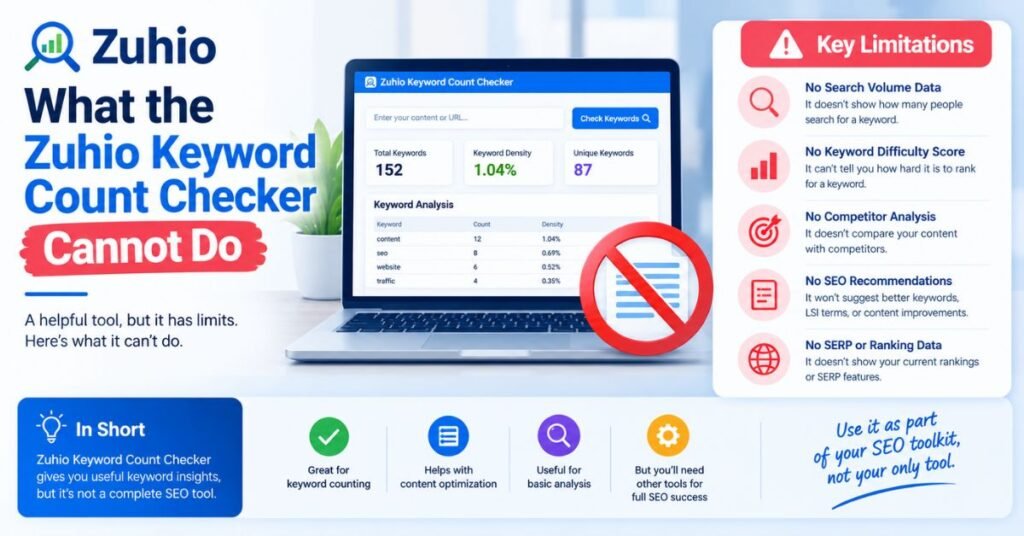
Every tool has limits. Knowing them saves you from false hopes. The Zuhio Keyword Count Checker is a counter, not a full comprehensive SEO software package. It reports numbers. It doesn’t explain what they mean for your site. Setting fair expectations helps you use it well.
Think of it as a ruler. A ruler measures length. It doesn’t tell you whether a table looks good in your room. In the same way, this tool measures keyword frequency. You still need judgment for the rest. Three limits matter most.
It Cannot Guarantee Higher Google Rankings
No counter can promise a ranking. Search engine rankings depend on hundreds of factors. They include content quality, links, speed, and search intent match. A perfect keyword density percentage won’t rescue a thin page. It also won’t beat a stronger competitor. Treat the tool as a helper for editing. Don’t treat it as a ranking switch.
It Cannot Measure Content Quality or Search Intent
The tool doesn’t read for meaning. It doesn’t judge whether your page answers the reader’s question. It can’t tell if your tone fits your audience. Those jobs need a human eye. Ask yourself what the searcher wants and whether your page delivers. A strong content quality assessment blends data with common sense. The count is just one small piece.
See Also: Securly Pass: Complete Guide to Features, Benefits, Safety & How It Works (2026)
It Cannot Replace Comprehensive SEO Tools
Big platforms do far more. A full technical SEO audit checks speed, crawling, and site structure. Backlink analysis shows who links to you. Competitor analysis reveals what rivals rank for. Zuhio offers none of that. If you need those insights, pair it with a larger platform. Together, the two cover both the micro view and the big picture.
Who Should Use the Zuhio Keyword Count Checker?
The tool suits anyone who writes for the web. Its simple design welcomes beginners. Its speed pleases busy pros. You don’t need technical skills. You only need a draft and a phrase to check. Different users get different perks, as you’ll see below.
It’s less suited to teams running huge campaigns. Those groups need dashboards, reports, and shared access. For everyone else, it makes a handy side tool. Here’s how each group can put it to work.
SEO Writers and Content Creators
SEO professionals and writers juggle many drafts. They need quick checks between edits. This tool delivers that. It supports SEO content writing by showing keyword balance at a glance. Writers can fix problems before sending work to a client. That habit builds trust and cuts revision rounds.
Bloggers and Website Owners
Bloggers and website owners often work alone. They lack a team to review every post. The tool acts as a second pair of eyes for blog post optimization. It’s free and fast. A small shop owner can check a product page in under a minute. That makes website content analysis less scary for newcomers.
Content Marketers and Editors
Content editors review work from many writers. Consistency becomes a challenge. A shared checking step helps. Each editor can run the same quick test on every draft. This routine supports content marketing goals and keeps SEO performance on track. It also gives editors a neutral number to discuss with writers.
Students and Researchers
Students write essays, reports, and theses. Researchers often track how often a term appears in a text. The word count checker and keyword counter help with both. A student can confirm that a key concept appears enough. A researcher can compare terms across papers. The simple output makes digital content creation and study easier.
Benefits of Using the Zuhio Keyword Count Checker
The benefits are practical. They show up in daily work. You edit faster. You catch problems sooner. You also build better habits over time. None of this needs a big budget or a steep learning curve.
Below you’ll find a quick case study. Then come four core benefits. Together, they show why a small tool can have a real effect on your SEO content strategy.
Case study (example scenario): A freelance writer finishes a 1,200-word guide. She runs a check and finds her main phrase appears 31 times. That’s a density of about 2.6%. The text feels stuffy. She swaps a dozen uses for pronouns and synonyms. The second check shows 18 uses and a density near 1.5%. The post now reads smoothly, and her client approves it on the first pass.
Saves Content Editing Time
Manual counting is slow and tiring. Searching for a phrase and tallying hits can take minutes. The tool does it in seconds. That time adds up across many drafts. You can spend the saved minutes on content editing that matters, like clearer examples and stronger openings. Faster checks also keep you from skipping the step altogether.
Helps Prevent Keyword Stuffing
Keyword stuffing prevention starts with awareness. You can’t fix what you can’t see. The density figure flags heavy repetition at once. Then you can rewrite with variety. This protects readers from a spammy feel. It also keeps your page in line with Google search results guidelines on natural writing.
Makes Content Optimization Easier
Optimization can feel vague. This tool gives it a clear starting point. You see where the keyword stands and what to adjust. That clarity helps beginners most. It turns keyword optimization into a simple loop of check, edit, and recheck. Over time, you’ll feel the right balance without the numbers.
Supports Consistent Keyword Usage Across Drafts
Writers revise a lot. Each version changes the numbers. By rerunning the check, you can compare drafts side by side. This draft comparison keeps your keyword usage steady as the text grows or shrinks. It’s especially handy when several people edit the same file. Everyone can see the effect of their changes.
Common Keyword Counting Mistakes to Avoid
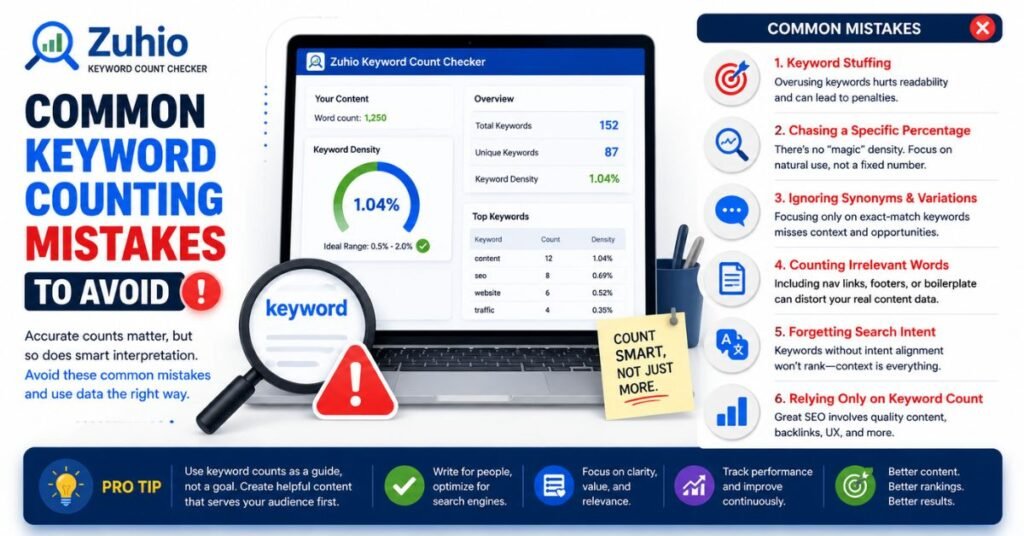
Even a good tool can lead you astray. The danger lies in how you use the numbers. Many writers fall into the same traps. Spotting them early keeps your content healthy. It also keeps your readers happy.
Most mistakes share a root cause. People chase the metric and forget the audience. The five traps below show how that happens. Each one comes with a simple fix.
Treating Keyword Density as a Ranking Formula
Density isn’t a recipe for success. No fixed percentage guarantees a top spot. Writers who chase one number often hurt their own content. Use density as a rough guide for balance. Then let content relevance and quality lead your choices. A flexible mindset beats a rigid formula every time.
Ignoring Search Intent and Context
A page can hit every number and still fail. If it doesn’t match what searchers want, it won’t satisfy them. Study the top results for your phrase first. Notice what they cover and how they present it. Then build your page to meet that need. Strong search intent alignment beats clever counting.
See Also: RobTheCoins Blockchain: What It Is, Features, Claims, and How to Verify It
Focusing Only on the Primary Keyword
Pages that revolve around one phrase feel thin. Readers want complete answers. Add secondary keywords and related ideas to widen the scope. Check them with the tool one by one. This approach improves topic coverage and makes your page more useful. It also lowers the risk of repeating one phrase too often.
Repeating Keywords at the Expense of Readability
Forced repetition is easy to spot. It sounds odd and tires the reader. Avoid forced keyword placement by using pronouns, synonyms, and natural rewording. Read each paragraph aloud. If you stumble, rewrite the line. A smooth page earns trust, and trust brings readers back.
Optimizing Numbers Instead of Content Quality
Numbers feel safe because they’re clear. Quality is harder to measure. Still, quality wins in the long run. Don’t polish a metric while the message stays weak. Add examples, clear steps, and honest advice first. Then use the tool as a final polish. That order protects both your readers and your rankings.
Zuhio Keyword Count Checker vs. Other SEO Tools
Comparing tools helps you pick the right one for each job. Some tools count words. Others audit whole sites. Each has a place. The table below gives a quick overview. Then two short sections dig deeper.
| Tool Type | Main Strength | Learning Curve | Best For |
| Zuhio Keyword Count Checker | Fast count and density | Very low | Quick draft checks |
| Manual counting | Free and flexible | Low but slow | Tiny texts |
| Yoast SEO plugin | In-editor WordPress guidance | Medium | WordPress writers |
| Ahrefs SEO tool | Backlinks and keyword data | High | SEO teams |
| SEMrush SEO platform | Full audits and content tools | High | Agencies and marketers |
Keyword Count Checker vs. Manual Keyword Counting
You could count by hand. You could also use the search function in your editor. Both methods work for short texts. They get tedious fast, and tired eyes make mistakes. Manual keyword counting also ignores density and word totals. A keyword frequency checker like this one handles all three at once. For anything longer than a page, automation wins.
Keyword Count Checker vs. Full SEO Platforms
Platforms such as Ahrefs and SEMrush offer far more. They provide keyword research, backlink analysis, and competitor analysis. The Yoast plugin checks your text inside WordPress as you write. Zuhio can’t match that depth. What it offers is simplicity and speed with no setup. Many writers use both. They rely on a platform for planning and on a lightweight SEO utility for a fast final check.
A Better Workflow for SEO Content Optimization
A tool works best inside a clear process. Without one, you may check at the wrong time or chase the wrong goal. A steady routine keeps your work calm and focused. It also makes your results easier to repeat. The five steps below form a simple SEO editing process.
Each step builds on the last. Skip none of them if you can help it. The table gives a quick summary before the details.
| Stage | Main Goal | Tool Support |
| Research | Learn what readers want | Keyword research tools |
| Outline | Plan a clear structure | Notes or outline software |
| Writing | Draft in a natural voice | Your own judgment |
| Analysis | Check keyword balance | Zuhio Keyword Count Checker |
| Review | Confirm quality and flow | A fresh read-through |
Research Search Intent and Relevant Keywords
Begin with the reader. Search your main phrase and study the results. Notice the formats, questions, and gaps. Then build a list of primary, secondary, and long-tail terms. This keyword analysis workflow sets your direction. It also shows you what search intent to satisfy before you type a word.
Create a Search-Focused Content Outline
An outline turns research into a plan. List your headings and map keywords to each section. Give every section a clear purpose. This step supports content structure optimization and keeps you from rambling. A strong outline also makes writing faster. You always know what comes next.
Write Naturally and Include Related Concepts
Now write for people. Explain ideas simply and use real examples. Let your keywords appear where they fit. Add related concepts and related search terms to enrich the text. Don’t stop to count yet. Draft first so your voice stays smooth. You can adjust the numbers later.
Analyze Keyword Usage and Improve Repetition
Once the draft is done, run your checks. Test the primary keyword first. Then test each secondary phrase. Look at the count, density, and spread. Fix spots that feel crowded or empty. This is where the Zuhio Keyword Count Checker earns its keep. It turns a vague feeling into clear data you can act on.
Review Content Quality Before Publishing
Finish with a human review. Read the full piece once more. Check facts, links, and tone. Ask whether a real reader would find it helpful. Fix any clumsy lines. Only then should you publish. This last pass protects your content quality and your reputation.
Is the Zuhio Keyword Count Checker Accurate and Reliable?
For its main job, the tool is dependable. It counts matches in the text you supply. Because it works on your pasted words alone, the results reflect your draft exactly. You can verify any number by hand on a short sample. That transparency builds confidence. It also makes the tool a good learning aid for beginners.
Still, accuracy has limits. The count is exact-match, so close variations won’t register. Density is also only one slice of SEO performance. Use the numbers as a guide and not a verdict. Spot-check a result now and then, especially with unusual punctuation or hyphenated phrases. Good habits keep your content analysis honest.
Is the Zuhio Keyword Count Checker Free to Use?
Yes. The tool is free and runs in your browser. Reviews note that it needs no account. That puts it firmly among the free keyword analysis tools worth bookmarking. You can use it for a single check or for dozens in one day. There are no downloads and no installs.
Online services can change over time. A free tool today might add limits later. So glance at the live page before you plan a big project around it. Also keep a backup method, such as your editor’s search function. That way, your SEO writing workflow never stalls.
Frequently Asked Questions
What Is the Zuhio Keyword Count Checker Used For?
It measures how often a keyword appears in your text. It also shows keyword density percentage and total word count. Writers use it during editing to find underused or overused phrases. That makes it a handy SEO writing tool for bloggers, editors, and students. It supports a quick, honest look at your keyword balance before you publish.
Is Zuhio Keyword Count Checker Free?
Yes. The tool is free to use in your browser. You don’t pay to check your count or density. Because online tools can change, confirm the current terms on the live page. For now, it fits well among free SEO tools for writers on any budget.
Do I Need an Account to Use Zuhio Keyword Count Checker?
No. Reviews say you can open the tool and start right away. There’s no sign-up form and no software to install. That keeps the process fast and friendly. It also means you can test it on a single draft with no commitment.
Can Zuhio Check Multiple Keywords at Once?
The tool analyzes the keyword you enter in each run. For multiple keyword tracking, check each phrase one after another and record the results. Features can change, so look at the live page for updates. Even one at a time, the process is quick. A simple notes sheet keeps everything organized.
Can It Analyze Long-Tail Keywords?
Yes. You can enter a multi-word phrase and the tool will count its exact matches. That supports long-tail keyword analysis for blog posts and landing pages. Remember that matching is exact. A small change in wording counts as a different phrase. Test the version you actually plan to use.
What Is a Good Keyword Density Percentage?
There’s no official number. Many writers aim for roughly one to two percent as a loose guide. The right level depends on your topic, length, and style. Google stresses helpful, people-first writing instead of a target figure. So aim for natural keyword usage and let readability decide.
Will Increasing Keyword Density Improve Google Rankings?
No. Adding more repeats rarely helps and often hurts. Heavy repetition can look like keyword stuffing and annoy readers. Better rankings come from useful content, clear structure, and strong search relevance. Use density only to avoid obvious extremes.
Can a Keyword Count Checker Analyze a Website URL?
Zuhio works on pasted text, so it doesn’t audit live pages by URL. Other tools, such as SmallSEOTools, offer URL-based analysis, according to one comparison. If you need a live page review, copy the page text into Zuhio or choose a URL-based tool. Either path works for a quick check.
Does Keyword Counting Help With AI Search Optimization?
Only a little. AI-driven search tools favor clear, complete, trustworthy answers. Counting keywords can’t create those qualities. Still, a quick check can reveal awkward repetition that hurts clarity. Focus on topic coverage, accurate facts, and direct answers. Use the counter as a small supporting step.
Can a Keyword Counter Tell Me Whether My Article Will Rank?
No. A counter measures text, not competition or authority. Rankings depend on many factors, including links, intent match, and overall quality. The tool can help you avoid mistakes. It can’t predict results. Treat it as a checkup, not a crystal ball.
Final Thoughts
The Zuhio Keyword Count Checker does one job and does it well. It gives you a fast, clear read on keyword frequency, keyword density, and word count. It’s free, simple, and ready in your browser. For bloggers, editors, freelancers, and students, that’s a real help. It turns a fuzzy worry into a number you can act on.
Still, the best results come from balance. Pair the tool with solid keyword research, strong writing, and a careful final read. Use bigger platforms when you need audits or link data. Then test the checker on your next draft. A few minutes of checking may be all it takes to keep your keyword balance healthy and your content reader-friendly.